
What Is ClickUp?
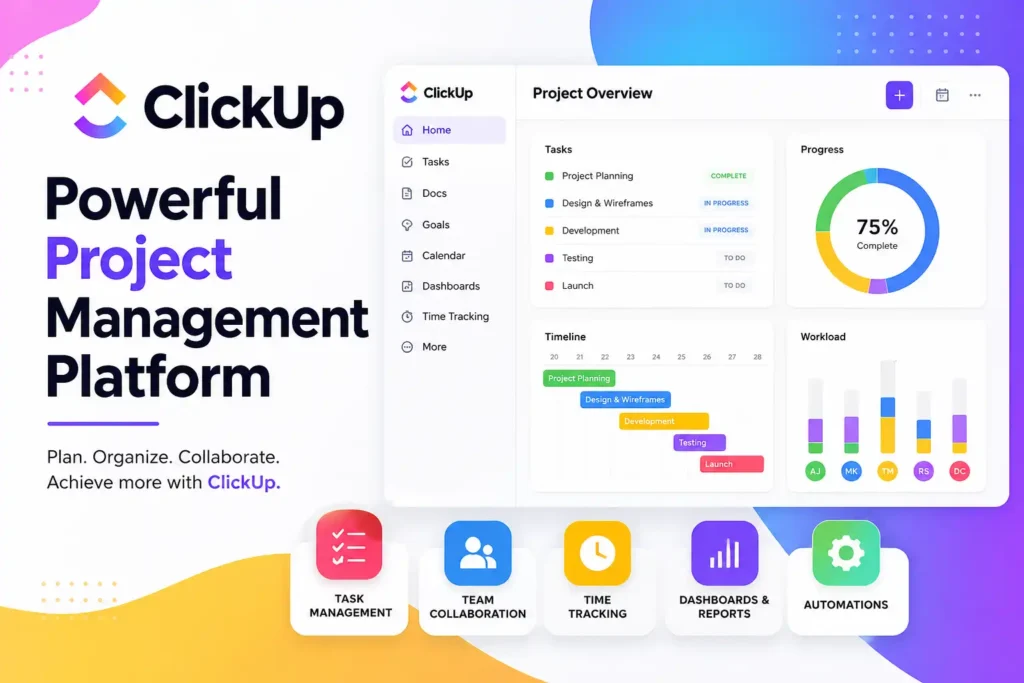
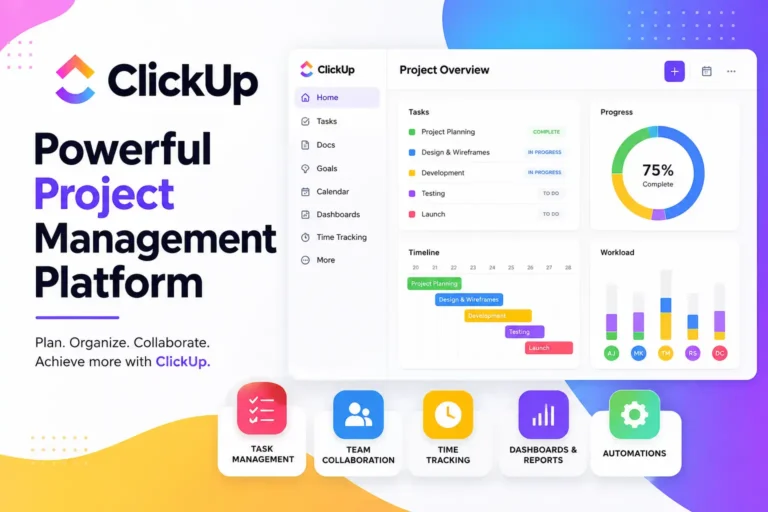
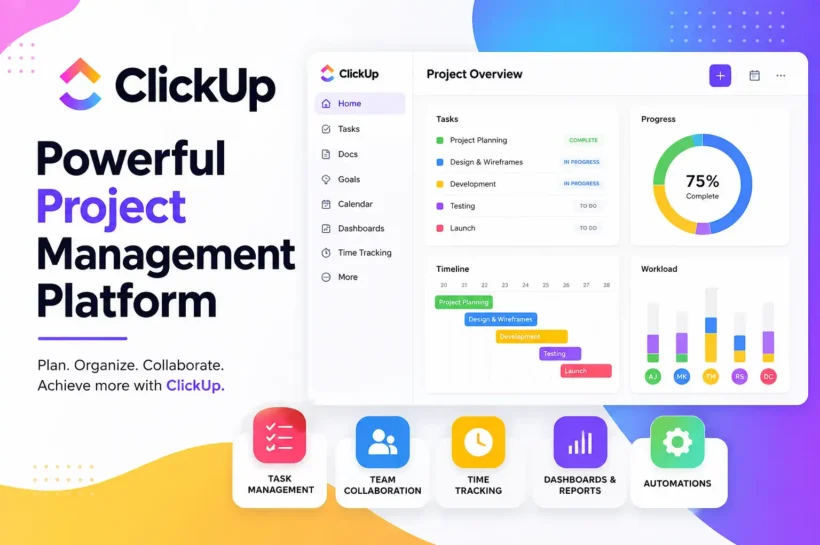
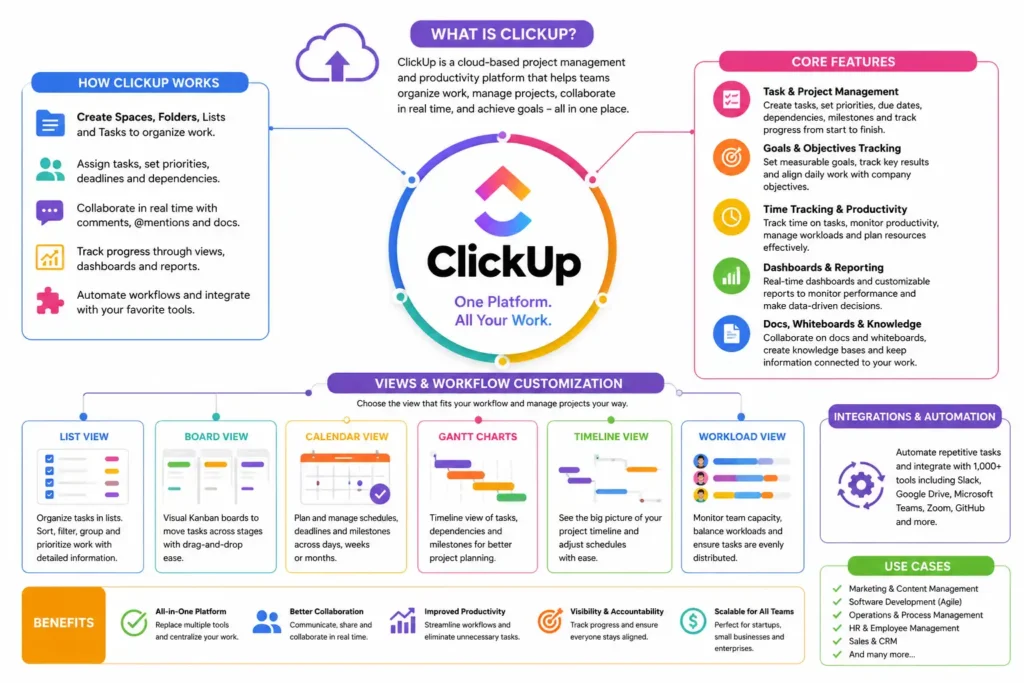
ClickUp is a cloud-based project management and productivity platform designed to help teams organize work, manage projects, and improve collaboration from a single workspace. Unlike traditional project management software that focuses on only a few functions, ClickUp combines task management, documentation, communication, goal tracking, and workflow automation in one platform. Businesses of all sizes use ClickUp to streamline operations and reduce the need for multiple disconnected tools. Its flexible structure allows teams to customize workflows based on their specific needs, making it suitable for marketing, software development, operations, HR, and many other departments.
How ClickUp Works
ClickUp works by organizing projects, tasks, and team activities within a structured hierarchy that helps users manage work efficiently. Teams can create projects, assign responsibilities, track progress, collaborate in real time, and monitor performance through customizable dashboards. The platform supports multiple workflow views, automation tools, and integrations with popular business applications. By centralizing work management and communication, ClickUp reduces information silos and helps teams stay aligned on goals and deadlines. Its flexibility allows organizations to build workflows that match their operational processes while maintaining visibility across all ongoing projects.
Core Features of ClickUp
Task and Project Management
Task and project management form the foundation of ClickUp’s functionality. Teams can create tasks, assign responsibilities, set priorities, define deadlines, and track project progress from start to completion. Features such as dependencies, recurring tasks, milestones, and task relationships help organizations manage complex workflows while ensuring accountability and timely project delivery.
Goals and Objectives Tracking
ClickUp allows businesses to connect daily work with broader organizational goals. Teams can establish measurable objectives, track key results, and monitor progress through visual reporting tools. This alignment helps employees understand how their work contributes to company success while enabling managers to evaluate performance and strategic execution more effectively.
Time Tracking and Productivity Monitoring
Built-in time tracking helps teams measure how long tasks and projects take to complete. Employees can log hours directly within tasks, while managers gain visibility into workload distribution and productivity trends. These insights support resource planning, project budgeting, and performance analysis, leading to more informed business decisions.
Dashboards and Reporting Tools
ClickUp dashboards provide real-time visibility into project performance, team activity, and key business metrics. Users can create customized reports using widgets that display task completion rates, workload allocation, time tracking data, and project status updates. These reporting capabilities help leaders identify bottlenecks and make data-driven decisions.
Docs, Whiteboards, and Knowledge Management
ClickUp includes collaborative Docs and Whiteboards that support planning, brainstorming, and documentation. Teams can create internal knowledge bases, meeting notes, process guides, and project documentation within the platform. Keeping information centralized improves accessibility, strengthens collaboration, and ensures important resources remain connected to ongoing work.
🧠 Expand Your Knowledge: Hostinger Horizons Explained: Complete 2026 Guide
ClickUp Views and Workflow Customization
One of ClickUp’s biggest advantages is its ability to adapt to different work styles and project requirements. Teams can choose from multiple views to visualize tasks and workflows in ways that best support their objectives. Whether managing content calendars, software development projects, marketing campaigns, or operational processes, ClickUp provides flexible tools for organizing work. Workflow customization allows businesses to standardize processes while maintaining adaptability.
List View for Organized Task Management
List View provides a structured way to manage tasks through organized categories and detailed task information. Teams can sort, filter, group, and prioritize work efficiently. This view is particularly useful for project managers who need a clear overview of assignments, deadlines, statuses, and responsibilities within complex projects.
Board View for Kanban Workflows
Board View displays tasks in a visual Kanban-style format, allowing teams to move work through different stages using drag-and-drop functionality. This approach helps users track project progress at a glance and quickly identify bottlenecks. Agile teams often rely on Board View to manage sprints and workflows.
Calendar View for Scheduling
Calendar View helps teams visualize deadlines, milestones, and scheduled activities across days, weeks, or months. It improves planning accuracy by displaying workloads and upcoming deliverables in a familiar calendar format. Marketing, content, and event management teams frequently use this view to coordinate schedules efficiently.
Gantt Charts for Project Planning
Gantt Charts provide a timeline-based visualization of project schedules, dependencies, and milestones. Teams can monitor project progress, adjust timelines, and identify scheduling conflicts before they affect delivery dates. This view is especially valuable for managing large projects that involve multiple stakeholders and interconnected tasks.
Timeline and Workload Views
Timeline View offers a broader perspective of project schedules, while Workload View focuses on team capacity and resource allocation. Managers can identify overburdened employees, balance workloads, and ensure resources are distributed effectively. These insights help improve productivity and reduce the risk of project delays.
Creating Custom Workflows for Teams
ClickUp enables organizations to create custom workflows using personalized statuses, fields, automations, and views. Teams can design processes that match their operational requirements rather than adapting to predefined structures. This flexibility supports greater efficiency, consistency, and scalability while ensuring workflows remain aligned with business goals.
ClickUp Automation and AI Capabilities
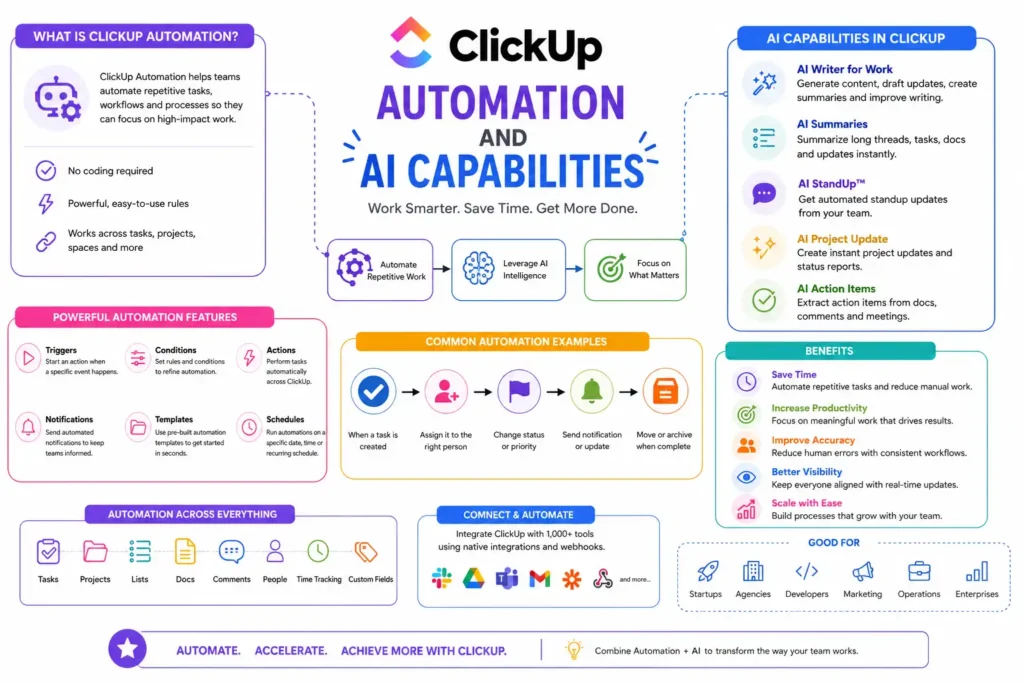
Automation and artificial intelligence have become essential for modern project management, and ClickUp provides both within a single platform. These capabilities help teams eliminate repetitive tasks, reduce manual errors, and accelerate workflows. By automating routine processes, employees can spend more time on strategic and high-value work. ClickUp’s AI tools further enhance productivity by assisting with content creation, task management, summaries, and workflow optimization. For businesses managing large volumes of projects and data, automation and AI can significantly improve operational efficiency while maintaining consistency across teams and departments.
How ClickUp Automations Work
ClickUp Automations use trigger-and-action rules to streamline repetitive processes. When a specific event occurs, such as a task status change, the platform automatically performs predefined actions. Teams can automate assignments, notifications, due date updates, and workflow transitions. This reduces manual work and helps projects move smoothly through each stage.
Common Automation Use Cases
Organizations use ClickUp Automations for task assignments, approval workflows, recurring project management, status updates, and deadline reminders. Customer service teams automate ticket routing, while marketing departments automate campaign workflows. These automated processes improve consistency, minimize delays, and ensure team members receive timely information without constant manual intervention.
ClickUp AI Features and Benefits
ClickUp AI assists users with writing, summarizing, brainstorming, and task management. Teams can generate content drafts, create meeting summaries, improve documentation, and quickly extract insights from project information. These capabilities save time while helping employees work more efficiently. AI-powered assistance also improves knowledge sharing across organizations.
Improving Team Efficiency with AI Tools
AI tools reduce the time spent on repetitive administrative work and information processing. Team members can quickly generate project updates, summarize discussions, and create actionable tasks from meeting notes. By simplifying routine activities, ClickUp AI helps employees focus on decision-making, creativity, collaboration, and higher-value business initiatives.
Best Practices for Automation Setup
Successful automation starts with clearly defined workflows and objectives. Teams should automate repetitive tasks that occur frequently and have predictable outcomes. Testing automations before deployment helps prevent errors. Regular reviews ensure workflows remain effective as business processes evolve, allowing organizations to maximize productivity without unnecessary complexity.
🧠 Expand Your Knowledge: Acamento :- Modern Digital Team Management Platform (2026)
ClickUp Integrations and Third-Party Tools
Modern businesses rely on multiple software platforms to manage communication, marketing, sales, file storage, and customer relationships. ClickUp strengthens its functionality by offering integrations with hundreds of third-party tools that connect workflows across different systems. These integrations reduce data silos and eliminate the need for constant switching between applications. According to workplace productivity studies, employees can lose significant time navigating disconnected software environments. By connecting essential business tools within ClickUp, organizations create a more unified digital workspace that improves collaboration, efficiency, and information accessibility.
Popular Integrations for Businesses
ClickUp integrates with many widely used business applications, allowing teams to centralize work management while maintaining existing software ecosystems. Popular integrations support communication, productivity, development, sales, and marketing activities. These connections help businesses streamline workflows and ensure critical information remains synchronized across multiple platforms.
Connecting ClickUp With Communication Platforms
Communication platform integrations allow teams to connect project updates directly with workplace conversations. Notifications, task updates, and project discussions can flow seamlessly between systems. This reduces communication gaps and keeps employees informed without requiring constant platform switching, helping teams stay aligned and responsive throughout project lifecycles.
CRM and Marketing Tool Integrations
ClickUp integrates with customer relationship management and marketing platforms to improve campaign planning, lead management, and customer engagement workflows. Teams can track marketing initiatives, manage customer-related projects, and coordinate sales activities from a centralized workspace. This alignment improves visibility across revenue-generating operations and strategic initiatives.
File Storage and Document Management Integrations
File storage integrations enable users to access, share, and manage documents without leaving ClickUp. Teams can connect cloud storage platforms to keep project files organized and easily accessible. Centralized document management improves collaboration, reduces version-control issues, and ensures employees can quickly locate important project resources.
API and Custom Integration Options
For organizations with specialized requirements, ClickUp provides API access and custom integration capabilities. Businesses can connect proprietary systems, automate data transfers, and build tailored workflows that support unique operational needs. These advanced integration options provide greater flexibility while enabling organizations to scale their technology ecosystems efficiently.
Benefits of Using ClickUp for Teams and Businesses
Centralized Project Management
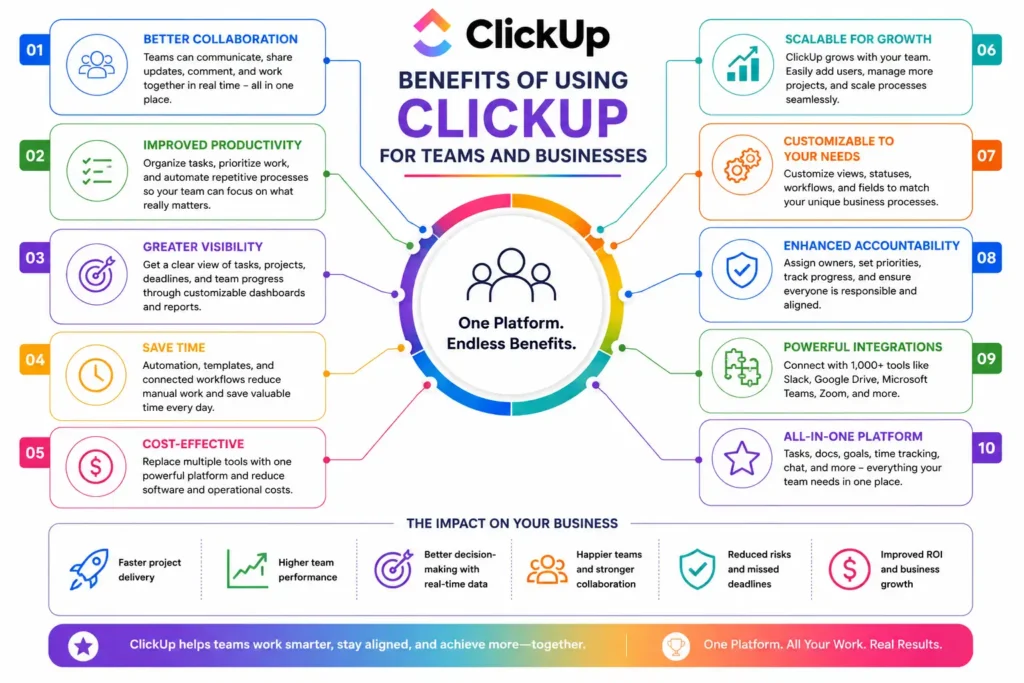
ClickUp consolidates projects, tasks, documents, communication, and reporting into a single platform. This centralized approach reduces fragmentation and provides teams with a unified source of information. Employees can access everything they need from one workspace, improving visibility, organization, and overall project coordination across departments.
Improved Team Collaboration
Collaboration features such as comments, shared documents, task discussions, and real-time updates help teams work together more effectively. Employees can communicate directly within projects, reducing dependency on external tools. This streamlined collaboration improves transparency, strengthens teamwork, and accelerates project completion across distributed and in-office teams.
Enhanced Productivity and Accountability
Clear task ownership, automated workflows, and performance tracking help teams stay productive and accountable. Managers can monitor progress through dashboards and reporting tools, while employees gain visibility into priorities and deadlines. This structure encourages responsibility and helps ensure projects remain on schedule and aligned with goals.
Better Resource and Time Management
ClickUp provides visibility into workloads, timelines, and resource allocation, helping organizations make informed planning decisions. Teams can identify capacity issues before they impact delivery schedules. Improved resource management reduces inefficiencies, supports balanced workloads, and ensures employees can focus on high-priority activities.
Scalability for Growing Organizations
As businesses expand, project complexity often increases. ClickUp’s flexible architecture allows organizations to scale workflows, teams, and processes without significant disruption. Companies can add new departments, customize structures, and integrate additional tools as needed, making ClickUp a long-term solution for sustainable business growth.
ClickUp Best Practices for Maximum Productivity
Setting Up an Efficient Workspace
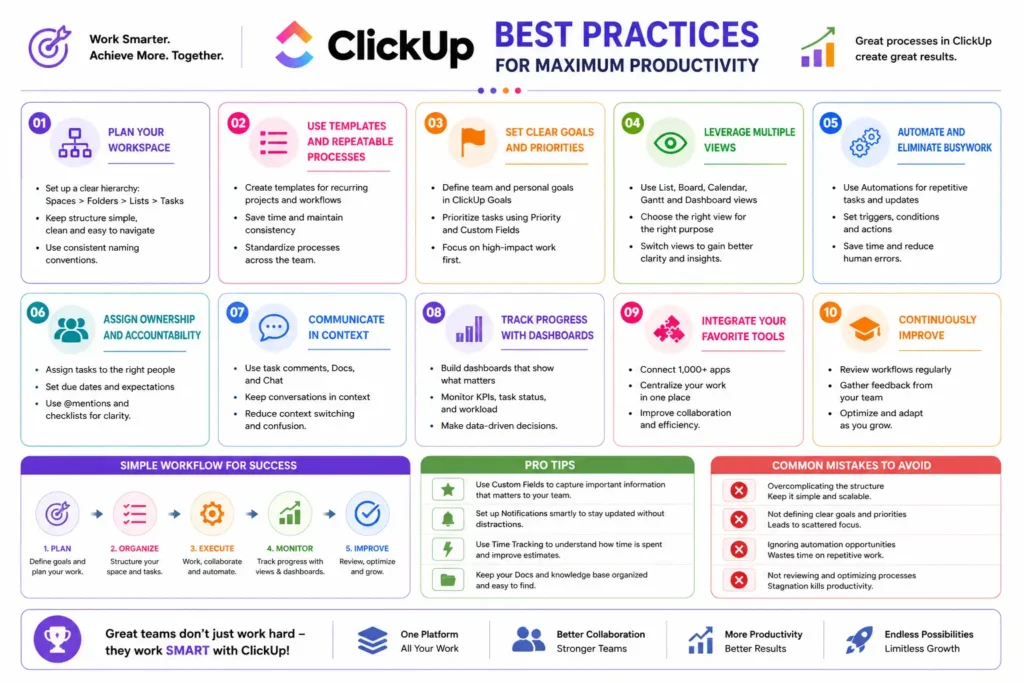
An efficient ClickUp workspace begins with a clear organizational structure that reflects company operations. Teams should create dedicated Spaces for departments and establish consistent naming conventions. Keeping the workspace organized improves navigation, reduces clutter, and ensures employees can quickly locate projects, tasks, and resources when needed.
Organizing Projects and Tasks Effectively
Projects should be organized using logical folders, lists, and task hierarchies. Clear task descriptions, priorities, deadlines, and ownership help prevent misunderstandings and delays. Consistent organization improves project visibility and allows team members to understand responsibilities easily while maintaining alignment with broader business objectives.
Creating Standardized Processes
Standardized workflows ensure tasks move through projects consistently and efficiently. Teams can use templates, recurring tasks, custom statuses, and automation rules to create repeatable processes. This approach reduces errors, improves onboarding, and helps maintain quality standards across projects, departments, and team members.
Managing Team Permissions and Roles
Proper permission management protects sensitive information while ensuring employees have access to the resources they need. Administrators should assign roles based on responsibilities and regularly review access levels. Well-defined permissions improve security, maintain accountability, and prevent accidental changes that could disrupt workflows.
Avoiding Common ClickUp Mistakes
Many teams make the mistake of overcomplicating workflows with excessive customizations and unnecessary task structures. Others fail to establish naming conventions or process standards. Keeping workflows simple, organized, and regularly reviewed helps teams avoid confusion while maximizing productivity and long-term adoption across the organization.
Frequently Asked Questions About ClickUp
What Is ClickUp Used For?
ClickUp is used for project management, task tracking, team collaboration, workflow automation, documentation, goal management, and productivity improvement. Businesses use it to centralize operations, manage projects, monitor performance, and streamline communication. Individuals also use ClickUp for personal task management, planning, and productivity organization.
Is ClickUp Better Than Traditional Project Management Tools?
ClickUp offers greater flexibility and a broader feature set than many traditional project management solutions. It combines task management, collaboration, documentation, reporting, and automation within one platform. While suitability depends on organizational needs, many businesses prefer ClickUp because it reduces reliance on multiple separate tools.
Can Small Businesses Use ClickUp Effectively?
Yes, ClickUp is highly suitable for small businesses. Its flexible structure allows smaller teams to organize projects, manage tasks, and improve collaboration without investing in multiple software solutions. As the business grows, ClickUp can scale alongside operations, making it a practical long-term investment.
Does ClickUp Support Remote and Hybrid Teams?
ClickUp is well-suited for remote and hybrid work environments. Real-time collaboration tools, shared documents, communication features, and project visibility help distributed teams stay connected. Employees can access information from anywhere, making it easier to coordinate projects and maintain productivity across locations.
Is ClickUp Suitable for Personal Productivity?
In addition to business use, ClickUp can support personal productivity goals. Its customization options make it adaptable to a wide range of productivity styles.
How Secure Is ClickUp?
ClickUp incorporates multiple security measures to protect user data, including encryption, access controls, and administrative security settings. Organizations can manage permissions at different levels to safeguard sensitive information. Regular security updates and compliance practices help maintain a secure environment for business operations.
What Are the Main Advantages and Limitations of ClickUp?
The primary advantages of ClickUp include flexibility, extensive customization, automation capabilities, multiple workflow views, and centralized work management. However, new users may experience a learning curve due to the platform’s large number of features. Proper setup and training are often necessary for optimal adoption.
🧠 Expand Your Knowledge: Communication Skill: Importance, Types & Benefits in 226
Conclusion
ClickUp has evolved into one of the most comprehensive project management and productivity platforms available today. By combining task management, collaboration, workflow customization, automation, reporting, and AI-powered capabilities within a single environment, it helps organizations streamline operations and improve efficiency. Its adaptable structure makes it suitable for startups, small businesses, and enterprise teams alike. Whether managing simple daily tasks or complex cross-functional projects, ClickUp provides the tools needed to stay organized and productive. For businesses seeking a scalable and centralized work management solution, ClickUp remains a strong choice in today’s digital workplace.
💬 Tech conversations worth having start here. Follow Tech Fueler.