
What Is AI Fiesta
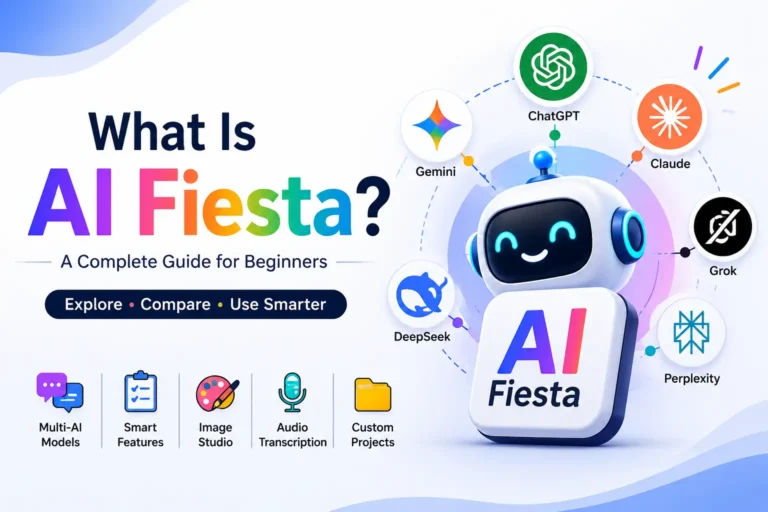
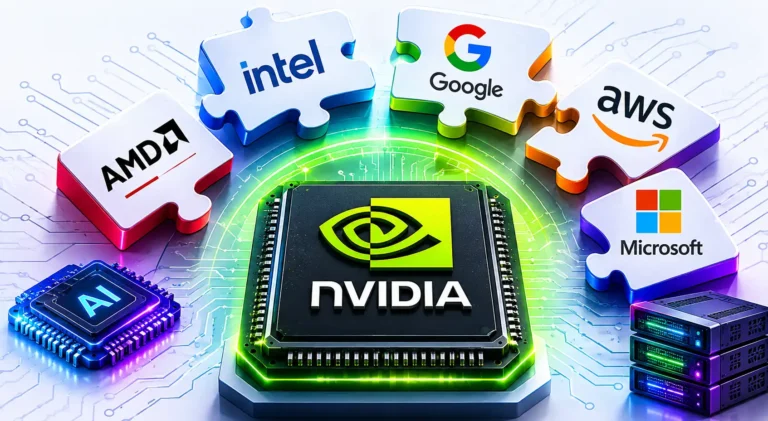
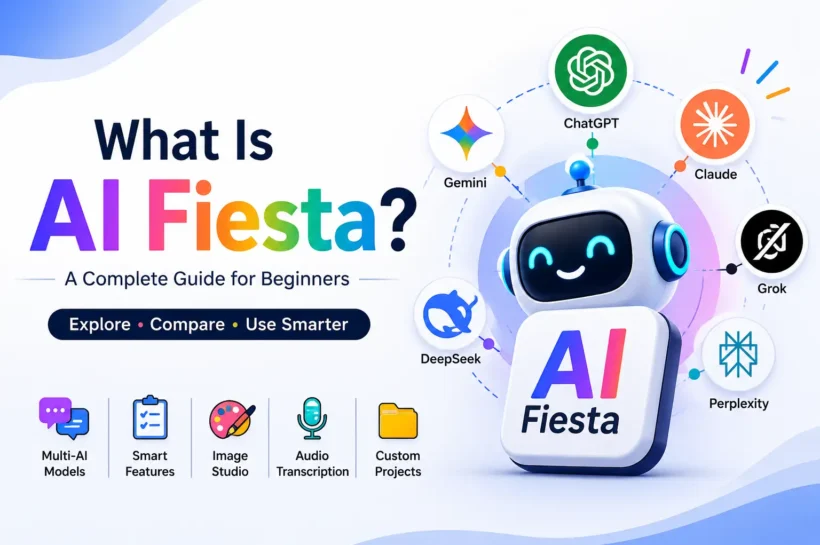
AI Fiesta is an AI platform that brings multiple leading artificial intelligence models into one workspace, allowing users to compare answers without opening several separate apps. Instead of relying on one chatbot for every task, you can choose a specific model, ask several models at once, or let Super Fiesta automatically route your prompt. The platform currently brings together models from providers such as OpenAI, Google, Anthropic, xAI, DeepSeek, and Perplexity, although its lineup can change as new models launch. This makes AI Fiesta less like a single chatbot and more like a central hub for using different AI systems in one place.
AI Models Available on AI Fiesta
AI Fiesta’s biggest attraction is its multi-model approach. Rather than building your workflow around one AI assistant, the platform lets you access models from several major AI companies through a single interface. Depending on the current lineup, users may find OpenAI, Gemini, Claude, Grok, DeepSeek, Perplexity, and specialized image models among the available choices. This matters because different large language models can produce noticeably different results from the same prompt.
Key Features of AI Fiesta
Multi-Model Responses and Side-by-Side Comparison
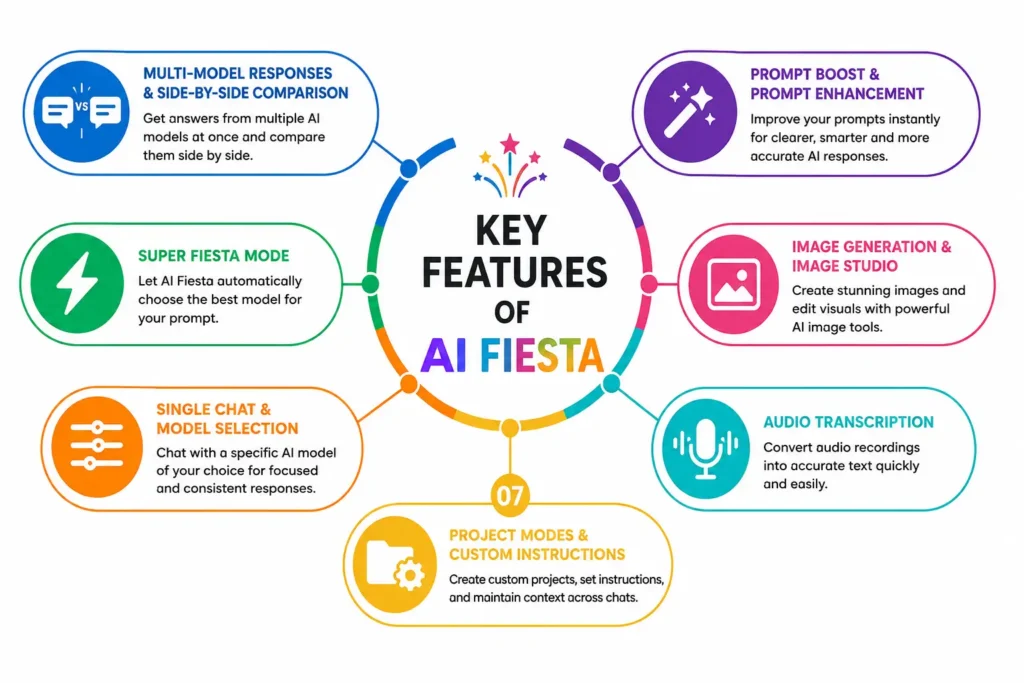
One of AI Fiesta’s main advantages is Multi Chat, which sends the same prompt to several selected models and displays their responses together. This makes comparison easier than copying a question between separate AI websites. You can spot common conclusions, different reasoning paths, missing details, and unusually strong answers. AI Fiesta also offers Consensus, which can synthesize agreement and disagreement across responses. For research or important decisions, this workflow can help identify uncertainty instead of relying blindly on one confident-sounding answer.
Super Fiesta Mode
Super Fiesta is AI Fiesta’s automatic routing mode. Its intelligence layer can route a prompt to the model it considers best suited to the task, according to AI Fiesta. That lowers the learning curve for beginners who do not know which model fits writing, coding, research, or image work. It also makes experimentation easier because users can focus on their goal rather than model selection. Still, automatic routing does not guarantee accuracy, so review important outputs before using them for decisions or publishing.
Single Chat and Model Selection
Single Chat is useful when you already know which AI model you want. AI Fiesta lets users lock a conversation to one model and filter choices by provider or task, including thinking, document generation, image generation, web search, and deep research. This helps when consistency matters because every response comes from the selected model. It also lets experienced users test one model repeatedly against a fixed prompt, making comparisons easier across different tasks and workflows.
Prompt Boost and Prompt Enhancement
Prompt Boost helps beginners turn a simple question into a more detailed AI instruction. Users can start with plain language and let AI Fiesta enhance the request before sending it to a model. A stronger prompt can clarify the goal, context, format, and constraints, making the resulting answer easier to use. Still, prompt enhancement is not magic. Review the improved prompt and adjust important details yourself, especially when a task involves specialized requirements, brand guidelines, or factual research.
Image Generation and Image Studio
AI Fiesta’s Image Studio adds image creation and editing to its broader AI ecosystem. Users can describe an image, generate visuals, or upload an existing image for refinement, depending on available tools and models. In its March 2026 update, AI Fiesta added Android support for Image Studio and introduced models including Grok Imagine, Seedream, and Nano Banana 2. This makes the platform useful for marketers, creators, and visual-content workflows. Image-model availability can change, so check the current Image Studio selector.
Audio Transcription
AI Fiesta also provides audio transcription as a built-in productivity feature, allowing users to turn recordings into text without moving to a separate service. This can help with meetings, interviews, lectures, notes, and content workflows. The main benefit is convenience: the transcript can stay in the same AI workspace where you summarize, rewrite, or analyze it. As with any automated transcription, review names, numbers, technical terms, and unclear speech before publishing or using the transcript as an authoritative record.
Project Modes and Custom Instructions
AI Fiesta explains that a Custom Project can contain a goal, tone, rules, and system instructions, so users do not have to repeat the same context in every chat. This is useful for recurring workflows such as marketing, content production, coding, or team projects. In April 2026, AI Fiesta introduced Custom Projects to reduce repetitive prompting and improve consistency. It can save time when the same guidelines apply repeatedly.
📌 Don’t Miss These Articles: Classroom 30X: The Future of AI-Powered Education in 2026
How to Use AI Fiesta as a Beginner
Using AI Fiesta does not require advanced prompt engineering or technical knowledge. The easiest approach is to start with a simple question, understand how model selection works, and gradually experiment with the platform’s comparison and productivity features. Beginners can start with Super Fiesta for automatic routing, move to Multi Chat when they want to compare answers, and use Single Chat when they prefer a particular model. Once comfortable, tools such as Prompt Boost, Image Studio, audio transcription, and Custom Projects can become part of a more efficient AI workflow.
Creating an AI Fiesta Account
To start, open AI Fiesta and create an account using the sign-up options provided by the platform. After signing in, explore the main chat interface before changing advanced settings. Check which models, tools, and usage limits are currently available to your account, because access can vary by plan and updates. A good beginner approach is to send one simple prompt first, then test Multi Chat and Single Chat. This gives you a feel for model selection before using AI Fiesta for important projects.
Choosing an AI Model or Chat Mode
Beginners do not need to memorize every model name. Start with Super Fiesta when you want AI Fiesta to handle model selection automatically. Choose Multi Chat when you want several models to answer the same question and compare their outputs. Use Single Chat when you prefer a particular provider or need consistent responses from one model. For specialized tasks, use available task filters to narrow choices. The best option depends on your goal, not simply on which model has the newest or most impressive name.
Writing and Improving Your Prompt
Good results usually start with a clear prompt. Tell the AI what you want, provide relevant context, define the audience, and specify the format or constraints. Instead of asking “write about SEO,” request a beginner-friendly explanation with examples, current facts, and a specific word count. AI Fiesta’s Prompt Boost can expand a basic request, but you should still check the enhanced version. Clear inputs reduce ambiguity and make model responses easier to compare fairly.
Comparing Responses From Multiple Models
When using Multi Chat, send the same prompt to the models you want to evaluate. Compare more than writing style. Look at factual accuracy, completeness, reasoning, source quality, clarity, and instruction-following. If three models agree and one disagrees, investigate the difference rather than automatically choosing the majority. Research has found that AI systems can produce incorrect or fabricated references, so model agreement alone is not a substitute for reliable sources. Use comparison to improve judgment, not replace it.
Continuing With the Best AI Response
After comparing responses, choose the strongest answer based on your actual goal. Continue with that model by asking it to refine, fact-check, restructure, or expand the work. You can also combine useful ideas from multiple responses into a new prompt. This creates a practical workflow: generate broadly, compare critically, then refine selectively. For high-stakes topics, verify important claims independently before treating the final response as reliable information.
Using AI Fiesta’s Additional Productivity Tools
Once you are comfortable with chat, explore tools such as image generation, Image Studio, audio transcription, Prompt Boost, and Custom Projects. These features can turn AI Fiesta into a broader content and productivity workspace. You might transcribe an interview, summarize it, create a project with consistent instructions, and generate supporting visuals. Start with one workflow rather than testing everything at once. That keeps the learning curve manageable and helps you identify which features genuinely save time.
Uses of AI Fiesta?
Content Writing and Copywriting
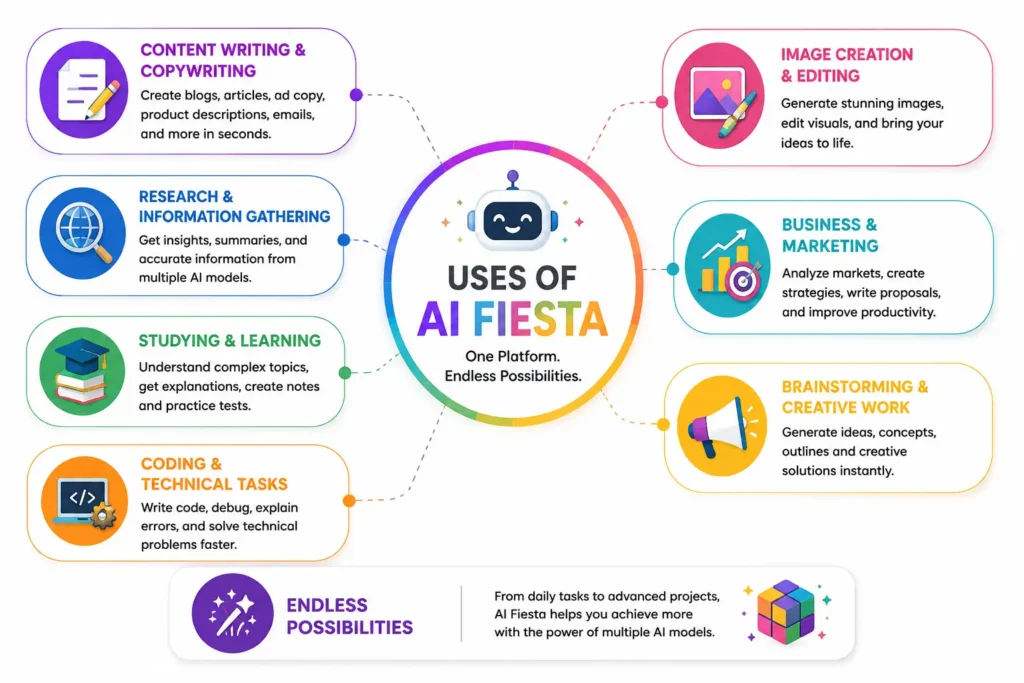
AI Fiesta can support bloggers, copywriters, marketers, and content teams with tasks such as article outlines, introductions, product descriptions, social media posts, email copy, and rewrites. You can ask several models to create the same piece and compare tone, structure, and clarity. This is particularly useful when developing SEO content because you can combine strong ideas from different responses. However, AI-generated drafts should still be edited for originality, factual accuracy, brand voice, and search intent before publication.
Research and Information Gathering
For research, AI Fiesta’s multi-model approach can provide several perspectives on the same question. Users can compare explanations, identify disagreements, summarize documents, and use available web-search capabilities to investigate topics. This can make early-stage research faster because you are not limited to one model’s interpretation. However, multiple AI responses are not automatically reliable evidence. Research has shown that AI systems can generate inaccurate or fabricated references, so important facts should always be checked against primary sources, official documentation, academic research, or other trustworthy evidence.
Studying and Learning
Students can use AI Fiesta as a flexible learning assistant for explaining difficult concepts, summarizing material, creating practice questions, and comparing different explanations. Multi-model comparison can therefore encourage active learning rather than passive copying. A useful approach is to ask AI to explain a concept, provide an example, quiz you, and then evaluate your answer. This turns AI Fiesta into an interactive study tool rather than simply an answer generator.
Coding and Technical Tasks
AI Fiesta can help developers with code generation, debugging, documentation, SQL queries, technical explanations, and problem-solving. Sending the same coding problem to multiple models can reveal alternative implementations and help identify potential bugs. One model may produce cleaner code while another may explain the underlying issue better. For production software, however, never assume AI-generated code is automatically secure or correct. Test the code, review dependencies, check edge cases, and validate security-sensitive logic before deploying it.
Image Creation and Editing
AI Fiesta can also support visual workflows through its image-generation and Image Studio features. Depending on the models currently available, users can create marketing graphics, illustrations, concept images, social media visuals, and other creative assets from text prompts. AI Fiesta’s March 2026 update added Image Studio support on Android and introduced additional image models, including Grok Imagine, Seedream, and Nano Banana 2. Because image-model availability changes, users should check the current model selector before starting a project.
Business and Marketing
Businesses can use AI Fiesta for market research, content planning, customer messaging, campaign ideas, product descriptions, meeting summaries, and internal brainstorming. Comparing several AI responses can be valuable when developing a strategy because different models may identify different opportunities or risks. Teams can also use project instructions to maintain consistent requirements across recurring workflows. For business-critical decisions, AI should support human judgment rather than replace it. Sensitive company information should also be handled according to the organization’s privacy and security policies.
Brainstorming and Creative Work
AI Fiesta works well as a brainstorming partner because you can ask several AI models to generate ideas from the same creative brief. This can produce different names, headlines, story concepts, campaign angles, video ideas, or product concepts in a single workflow. Instead of accepting the first suggestion, compare the responses and combine the strongest elements. This approach is especially useful when you feel stuck because model diversity can introduce unexpected directions that a single AI assistant might not suggest.
📌 Don’t Miss These Articles: 10 AI Use Cases Every HR Team Should Know in 2026
AI Fiesta Pricing, Plans, and Token Limits
AI Fiesta uses a subscription model, but its pricing and promotional offers can change, so users should check the current checkout page before purchasing. AI Fiesta’s published terms list a $12 monthly or $120 yearly subscription and state that an active subscription includes 3 million tokens per month. However, its current annual promotional page advertises $79 per year with 36 million tokens annually, while another promotional page shows ₹6,999 per year. These differences demonstrate why pricing should be verified at the time of purchase rather than copied from an older review.
Free
AI Fiesta is listed as a free app with in-app purchases on Apple’s App Store, meaning users can download the application without immediately purchasing a subscription. However, the exact free-tier model access and token allowance may vary, and AI Fiesta’s published subscription terms focus primarily on paid access. Therefore, users should check the current account or upgrade screen for the precise free limits available to them.
Paid
Paid AI Fiesta access is designed for users who want broader access to premium AI models and additional features. Its published terms currently describe a monthly plan at $12 or ₹999 and an annual plan at $120 or ₹9,999, with 3 million tokens included per monthly billing cycle. At the same time, current promotional pages advertise discounted annual offers, including $79 and ₹6,999 options. Because these offers can be temporary or region-specific, verify the final price, token allowance, renewal terms, and included models before subscribing.
Benefits and Limitations of AI Fiesta
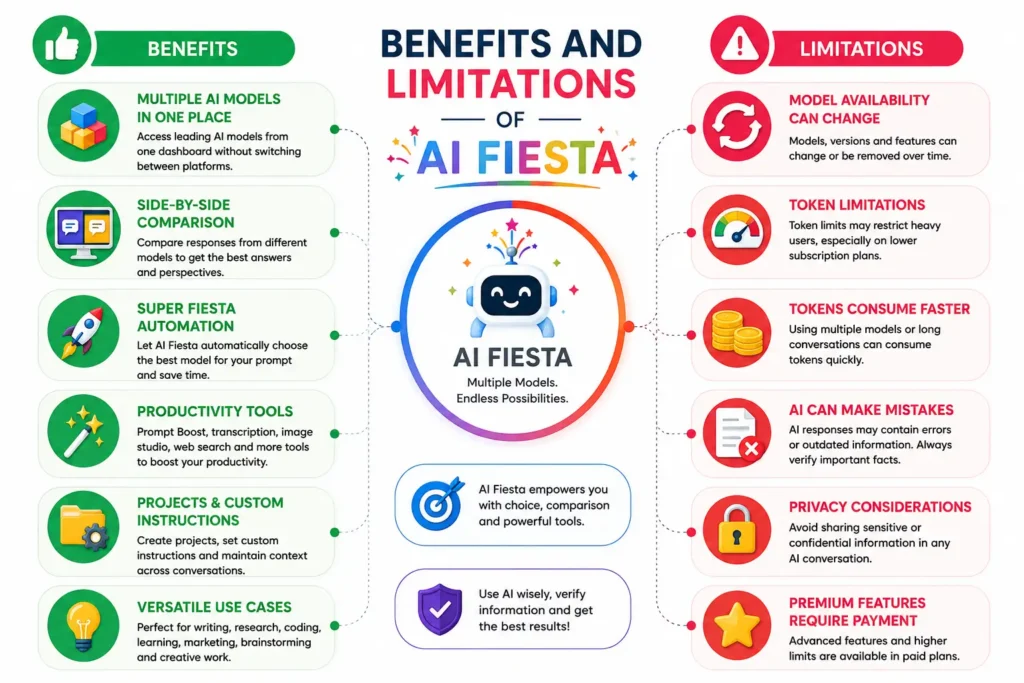
AI Fiesta’s biggest benefit is convenience: users can access multiple AI models from one interface instead of maintaining several separate workflows. Side-by-side comparison can also make it easier to see different answers, reasoning styles, and creative approaches. Features such as Super Fiesta, Image Studio, Prompt Boost, transcription, and Projects expand its usefulness beyond ordinary chat. However, there are trade-offs.
Benefits include:
- Access to multiple AI models in one workspace
- Side-by-side response comparison
- Automatic model selection through Super Fiesta
- Prompt enhancement and productivity features
- Image generation and creative tools
- Support for research, writing, coding, and learning
- Less need to switch between AI platforms
Limitations include:
- Model availability can change over time
- Token allowances may limit heavy usage
- Multi-model prompts can consume tokens quickly
- AI responses can still contain factual errors
- Premium features may require a paid plan
- Pricing and promotional offers can change
AI Fiesta vs. ChatGPT, Gemini, Claude, and Other AI Tools Comparison Table
AI Fiesta is different from a traditional AI chatbot because its core value comes from bringing multiple models together. ChatGPT, Gemini, and Claude are primarily individual AI ecosystems operated by their respective companies, while AI Fiesta focuses on providing access to multiple providers in one interface. ChatGPT currently offers Free, Go, Plus, Pro, Business, and Enterprise options, with Plus listed at $20 per month and Go at $8 per month in the United States. Claude and other providers similarly have their own subscriptions and usage policies, so the best choice depends on whether you value model variety or a dedicated ecosystem.
| AI Tool | Main Advantage | Best For | Multi-Model Access | Key Consideration |
| AI Fiesta | Multiple AI models in one workspace | Comparing models and varied AI tasks | Yes | Token limits and model availability can change |
| ChatGPT | Integrated AI ecosystem and advanced tools | Writing, research, coding, analysis, and general AI use | No, primarily OpenAI models | Strong ecosystem with different plan-based limits |
| Google Gemini | Google’s AI ecosystem and multimodal capabilities | Research, productivity, and Google-connected workflows | No, primarily Gemini models | Best fit for users invested in Google’s ecosystem |
| Claude | Strong writing, analysis, and coding workflows | Long-form writing, reasoning, and technical work | No, primarily Anthropic models | Model and usage limits depend on the plan |
| Perplexity | Search-focused AI answers | Web research and source discovery | Uses multiple underlying models | Strongest when current web information is the priority |
| DeepSeek | Cost-efficient AI models and reasoning options | Coding, reasoning, and technical tasks | No, primarily DeepSeek models | Model capabilities and availability evolve quickly |
| Grok | Conversational AI and real-time-oriented workflows | Current topics, brainstorming, and general assistance | No, primarily xAI models | Access and features depend on the current plan |
Who Should Use AI Fiesta?
- Content writers and bloggers: Generate, compare, and refine articles, outlines, and marketing copy.
- Students: Explore different explanations, create study materials, and practice concepts.
- Researchers: Compare AI-generated perspectives and support early-stage information gathering.
- Developers: Test different approaches to coding, debugging, and technical problems.
- Marketers: Brainstorm campaigns, write copy, research audiences, and create visual content.
- Business owners: Use multiple AI models for planning, communication, analysis, and productivity.
- Creative professionals: Generate ideas, images, concepts, and alternative creative directions.
- AI enthusiasts: Experiment with different models without constantly switching between platforms.
On the other hand, AI Fiesta may not be necessary for someone who only needs one AI assistant for occasional everyday questions. If you already prefer a particular ecosystem, such as ChatGPT, Gemini, or Claude, paying for another platform may offer limited additional value unless its multi-model workflow solves a specific problem for you.
📌 Don’t Miss These Articles: 5 Best AI Coding Assistants for Developers in 2026
Conclusion
AI Fiesta takes a different approach to artificial intelligence by bringing multiple AI models and productivity tools into one workspace. Instead of asking which chatbot is always the best, users can choose a model, compare several responses, or use Super Fiesta to let the platform handle model selection. Its features extend beyond ordinary conversations, with tools for prompt enhancement, image generation, transcription, research, and project-based workflows.
Overall, AI Fiesta is worth considering if you want access to multiple AI models in one place and regularly compare their capabilities. If you only need a single chatbot for basic tasks, a dedicated AI service may be simpler. The best choice ultimately depends on your workflow, budget, and how much value you place on having several AI models available from one platform.
🔍 Find answers before everyone else. Follow Tech Fueler.