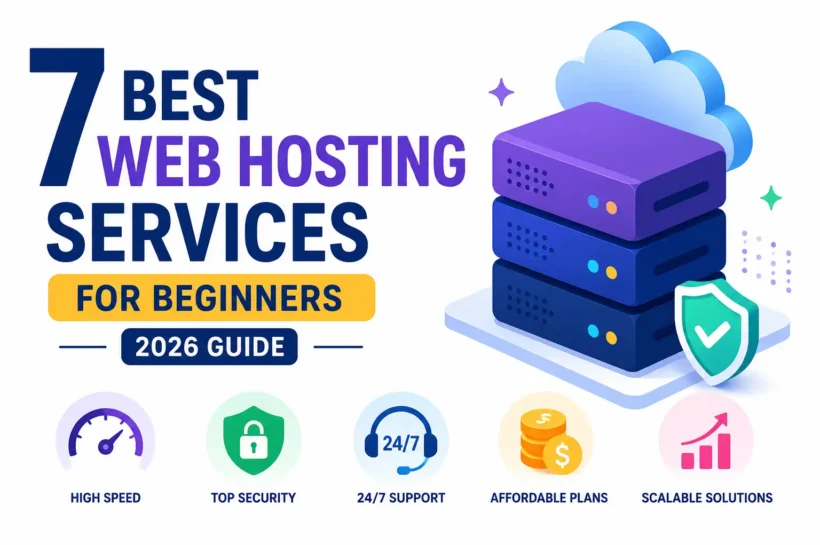

Introduction
Choosing your first web hosting service can feel overwhelming because dozens of providers promise fast speeds, unlimited resources, and beginner-friendly features. The right hosting company should make launching a website simple while offering reliable uptime, strong security, and room to grow. According to industry research from organizations like W3Techs, WordPress powers more than 43% of all websites, making WordPress-compatible hosting an important consideration for beginners.
In this guide, we compare beginner-friendly hosting providers based on performance, pricing, ease of use, customer support, security, and overall value, helping you confidently select the best hosting for your first website.
What Makes a Web Hosting Service Beginner-Friendly?
A beginner-friendly web hosting provider should simplify every step of creating and managing a website. Look for an intuitive control panel, one-click WordPress installation, free SSL certificates, automatic backups, reliable uptime, and responsive customer support available 24/7.
Fast SSD or NVMe storage, beginner-friendly dashboards, affordable pricing, and transparent renewal costs also matter. Independent monitoring services consistently show that hosting uptime above 99.9% helps reduce downtime and improve user trust. A provider that includes website migration, security tools, email hosting, and scalable plans allows new website owners to start small while growing without technical headaches.
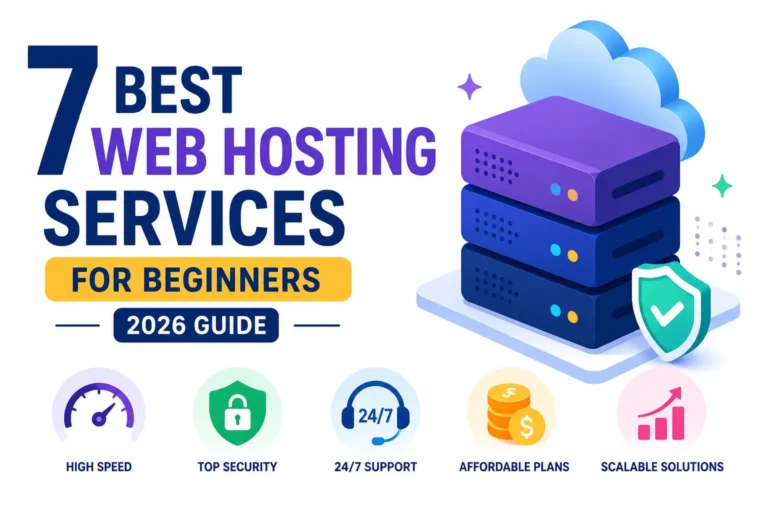
Here are the 7 Best Web Hosting Service Providers
1. Hostinger
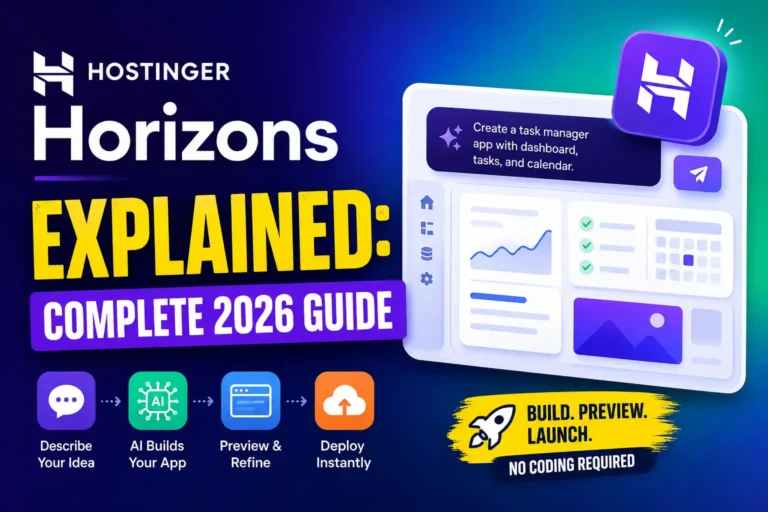
Hostinger is one of the most recommended web hosting providers for beginners because it combines affordability, excellent performance, and an easy-to-use interface. Instead of a complicated traditional control panel, Hostinger offers its custom hPanel, making website management simple even for first-time users. The company operates global data centers, uses LiteSpeed web servers on many plans, and includes built-in caching to improve website loading speed. Independent uptime monitoring consistently reports uptime close to 99.9%, while Hostinger’s AI-powered website tools, one-click WordPress installation, and beginner-friendly setup process help users launch websites quickly without technical expertise.
Key Features
- Custom hPanel with beginner-friendly navigation
- One-click WordPress installation
- Free SSL certificate
- Free website migration
- LiteSpeed web servers
- NVMe SSD storage on supported plans
- AI website builder and AI assistant
- Weekly or daily backups depending on plan
- Global data centers
- 24/7 live chat customer support
Pros and Cons
Pros
- Excellent value for money
- Fast website loading speeds
- Very beginner-friendly dashboard
- Strong WordPress optimization
- Reliable uptime
- Affordable introductory pricing
Cons
- Phone support is unavailable
- Renewal pricing is higher than promotional pricing
- Daily backups require higher-tier plans
Best For
Hostinger is ideal for beginners launching personal blogs, portfolios, business websites, startup projects, and small online stores. It is especially suitable for users who want affordable hosting without sacrificing speed, security, or ease of use. First-time website owners looking for a balance between performance and price will find Hostinger one of the strongest overall hosting choices in 2026.
2. Bluehost
Bluehost has remained one of the most recognized WordPress hosting providers for years and is officially recommended by WordPress.org. Its hosting platform is designed specifically for beginners who want to build a WordPress website with minimal setup. Users benefit from guided onboarding, automatic WordPress installation, free SSL certificates, and an easy-to-use dashboard. Bluehost also includes built-in security tools, website staging on eligible plans, and access to a large knowledge base. With reliable uptime, scalable hosting options, and strong integration with WordPress, Bluehost remains an excellent choice for bloggers, freelancers, and small business owners starting their online journey.
Key Features
- Officially recommended by WordPress.org
- One-click WordPress installation
- Free domain for the first year on eligible plans
- Free SSL certificate
- Beginner-friendly dashboard
- Automatic WordPress updates
- 24/7 customer support
- Built-in security features
- Website staging on selected plans
- Scalable shared, VPS, and dedicated hosting
Pros and Cons
Pros
- Excellent WordPress integration
- Easy setup for beginners
- Free domain during the first year
- Reliable customer support
- Strong knowledge base and tutorials
- Easy upgrade options as websites grow
Cons
- Higher renewal pricing
- Website migration may require additional fees for some users
- Some advanced features are available only on higher-tier plans
Best For
Bluehost is best for beginners building WordPress blogs, business websites, professional portfolios, and small company websites. It is particularly valuable for users who want official WordPress compatibility, simple website management, and dependable customer support while learning the basics of website creation and hosting.
3. SiteGround

SiteGround has built a strong reputation for delivering outstanding website performance and industry-leading customer support. It is officially recommended by WordPress.org and is known for its Google Cloud infrastructure, built-in caching technology, and advanced security features. The platform includes a beginner-friendly Site Tools dashboard that replaces traditional cPanel, making website management simple even for first-time users. SiteGround also offers automated WordPress updates, free daily backups, and a free CDN to improve loading speeds worldwide. Independent uptime monitoring consistently reports uptime above 99.9%, making SiteGround an excellent choice for users who prioritize reliability, speed, and responsive technical assistance.
Key Features
- Google Cloud infrastructure
- Beginner-friendly Site Tools dashboard
- Free SSL certificate
- Free CDN powered by Cloudflare
- Daily automatic backups
- Managed WordPress updates
- Built-in SuperCacher technology
- AI anti-bot protection
- Free email hosting
- 24/7 customer support via chat, phone, and tickets
Pros and Cons
Pros
- Excellent website performance
- Outstanding customer support
- Strong WordPress optimization
- Daily backups included
- Advanced security features
- Reliable uptime and fast servers
Cons
- Higher renewal prices
- Limited storage compared to some competitors
- No free domain registration
Best For
SiteGround is best for beginners, bloggers, freelancers, and small businesses that value premium performance and responsive customer support. It is an excellent option for WordPress websites, business websites, and growing online projects where website speed, uptime, and security are more important than getting the lowest introductory price.
4. DreamHost
With more than two decades in the hosting industry, it has become a popular choice among beginners looking for reliable shared hosting and managed WordPress solutions. DreamHost includes unlimited traffic on most shared hosting plans, a custom control panel, free SSL certificates, and automated WordPress installation. The company also provides an industry-leading 97-day money-back guarantee for shared hosting, giving new website owners extra confidence. Combined with reliable uptime and transparent pricing, DreamHost delivers excellent long-term value for first-time website creators.
Key Features
- Officially recommended by WordPress.org
- Custom beginner-friendly control panel
- Free SSL certificate
- Free domain with eligible annual plans
- Unlimited bandwidth
- Automated WordPress installation
- Free privacy protection for domains
- SSD storage
- 97-day money-back guarantee
- Automated daily backups on selected plans
Pros and Cons
Pros
- Affordable long-term pricing
- Generous money-back guarantee
- Unlimited traffic on shared plans
- Strong privacy protection
- Easy WordPress installation
- Reliable hosting performance
Cons
- No cPanel interface
- Phone support requires a callback
- Data centers are primarily located in the United States
Best For
DreamHost is ideal for beginners, bloggers, students, freelancers, and startups looking for affordable web hosting with dependable performance. It works especially well for personal websites, WordPress blogs, portfolio sites, and small business websites that need reliable hosting while keeping monthly costs under control.
5. A2 Hosting
A2 Hosting has earned recognition for its speed-focused hosting environment and developer-friendly infrastructure. The company uses NVMe SSD storage, LiteSpeed web servers on selected plans, and Turbo Servers that can significantly improve website loading performance compared to standard shared hosting environments. Fast websites improve user experience and can contribute to better search engine rankings, making performance an important consideration for beginners. Along with speed, A2 Hosting offers free website migration, strong security tools, automatic backups on eligible plans, and an easy-to-use control panel, making it suitable for users who want a fast and reliable hosting solution.
Key Features
- Turbo Servers on supported plans
- NVMe SSD storage
- LiteSpeed server technology
- Free SSL certificate
- Free website migration
- cPanel control panel
- WordPress optimization
- Automatic backups on selected plans
- Malware scanning and security tools
- 24/7 Guru Crew customer support
Pros and Cons
Pros
- Excellent website speed
- Reliable uptime
- Free site migration
- Strong security features
- Beginner-friendly setup
- Wide range of hosting options
Cons
- Turbo features cost extra
- Renewal pricing is higher
- Entry-level plans have fewer premium performance tools
Best For
A2 Hosting is best for beginners who want maximum website speed without moving to expensive premium hosting.
6. GreenGeeks
The company offsets its energy consumption by purchasing renewable energy credits, making it one of the leading eco-friendly hosting providers. Beyond its green initiatives, GreenGeeks offers fast LiteSpeed-powered hosting, SSD storage, built-in caching, free CDN integration, and advanced security features. Beginners also benefit from one-click WordPress installation, free website migration, and an intuitive control panel. With dependable uptime and scalable hosting plans, GreenGeeks proves that environmentally responsible hosting can also deliver excellent website performance and reliability.
Key Features
- Renewable energy-powered hosting
- LiteSpeed web servers
- SSD storage
- Free SSL certificate
- Free CDN integration
- Free website migration
- Built-in caching
- Nightly backups
- AI-powered security monitoring
- 24/7 expert customer support
Pros and Cons
Pros
- Environmentally friendly hosting
- Strong website performance
- Free website migration
- Excellent security tools
- Reliable uptime
- WordPress optimized
Cons
- Higher renewal rates
- Limited entry-level storage
- Data center locations are fewer than some competitors
Best For
GreenGeeks is perfect for environmentally conscious bloggers, nonprofits, startups, and small businesses that want reliable hosting while reducing their environmental impact. It is also a great choice for beginners seeking fast WordPress hosting with strong security and dependable customer support.
7. HostGator

HostGator is one of the longest-established web hosting companies and remains a popular option for beginners because of its flexible hosting plans and easy upgrade path. Users can start with affordable shared hosting and seamlessly move to VPS or dedicated servers as website traffic increases. HostGator includes one-click WordPress installation, free SSL certificates, unmetered bandwidth, and a beginner-friendly control panel. The platform also offers a website builder, marketing tools, and around-the-clock customer support. Its scalability and broad hosting portfolio make HostGator an excellent long-term solution for websites expected to grow over time.
Key Features
- Beginner-friendly cPanel
- One-click WordPress installation
- Free SSL certificate
- Unmetered bandwidth
- Free website builder
- Free website transfer on selected plans
- Scalable shared, VPS, and dedicated hosting
- One-click application installer
- 24/7 customer support
- Marketing credits on eligible plans
Pros and Cons
Pros
- Easy to scale as traffic grows
- Beginner-friendly interface
- Reliable uptime
- Wide variety of hosting plans
- Strong knowledge base
- Affordable introductory pricing
Cons
- Higher renewal prices
- Automatic backups cost extra on some plans
- Performance is not as fast as premium speed-focused providers
Best For
HostGator is best for beginners planning to grow their websites over time. It is a solid choice for blogs, business websites, online portfolios, affiliate websites, and small eCommerce stores that may eventually require VPS or dedicated hosting without switching providers.
Quick Comparison of the 7 Best Web Hosting Services for Beginners
Choosing the right hosting provider becomes much easier when you compare the features that matter most. The table below highlights each provider’s biggest strengths, helping you quickly identify which option matches your website goals, budget, and future growth plans.
| Hosting Provider | Best For | Starting Price* | Free Domain | WordPress Optimized | Free SSL | Standout Feature |
| Hostinger | Overall beginners | Affordable | Yes (selected plans) | ✅ | ✅ | Best overall value and easy hPanel |
| Bluehost | WordPress beginners | Affordable | Yes | ✅ | ✅ | Official WordPress recommendation |
| SiteGround | Speed & support | Mid-range | No | ✅ | ✅ | Google Cloud infrastructure |
| DreamHost | Budget-conscious users | Affordable | Yes (annual plans) | ✅ | ✅ | 97-day money-back guarantee |
| A2 Hosting | High-speed websites | Mid-range | No | ✅ | ✅ | Turbo Servers and NVMe storage |
| GreenGeeks | Eco-friendly hosting | Mid-range | Yes (selected plans) | ✅ | ✅ | Renewable energy-powered hosting |
| HostGator | Growing websites | Affordable | Yes (selected plans) | ✅ | ✅ | Easy scalability and flexible hosting plans |
*Pricing varies based on promotional offers, billing cycle, and renewal rates. Always verify current pricing before purchasing.
How to Choose the Best Web Hosting Service for Beginners
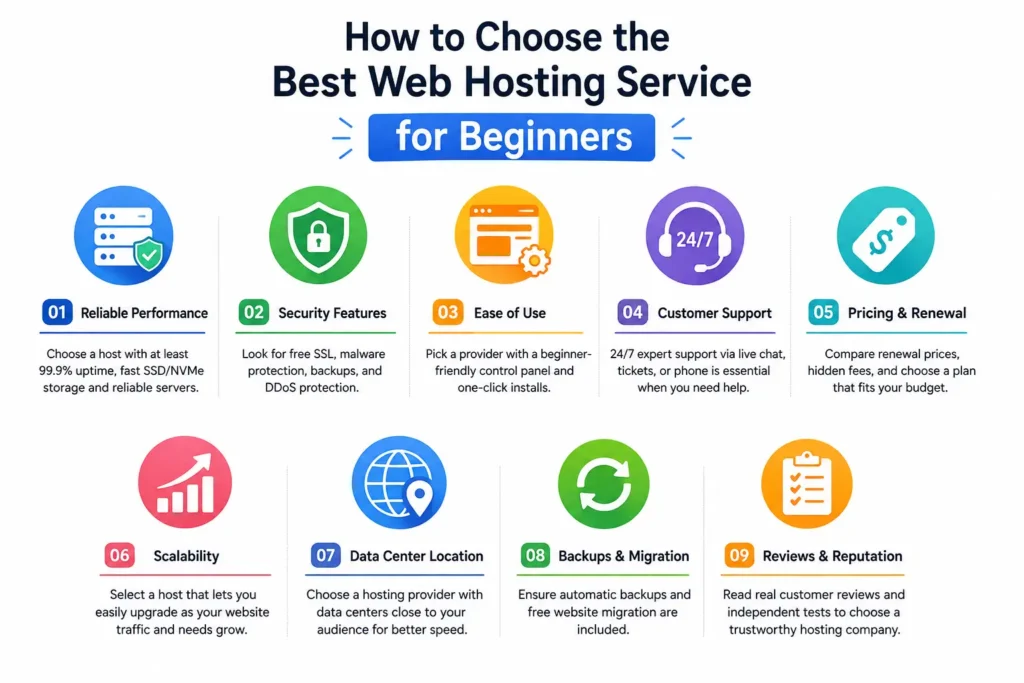
The best web hosting service depends on your website’s purpose, expected traffic, technical experience, and long-term goals. Beginners should prioritize reliable uptime, fast SSD or NVMe storage, free SSL certificates, one-click WordPress installation, automatic backups, and responsive 24/7 customer support.
Also consider renewal pricing, website migration options, scalability, and security features like malware protection and DDoS defense. If you’re starting a WordPress website, choose a provider optimized for WordPress performance. Reading independent reviews, checking uptime guarantees, and comparing included features, not just introductory prices, will help you make a smarter long-term investment.
Frequently Asked Questions
What Is the Best Web Hosting Service for Beginners?
For most beginners, Hostinger offers the best overall combination of affordability, speed, ease of use, and beginner-friendly tools. However, if you’re building a WordPress website and want official WordPress support, Bluehost is another excellent choice. The right provider ultimately depends on your budget, website goals, and expected growth.
How Much Does Beginner Web Hosting Cost?
Most beginner-friendly shared hosting plans typically start between $2 and $5 per month during promotional periods. Renewal prices are usually higher, often ranging from $8 to $15 per month, depending on the provider and plan. Always compare both introductory and renewal pricing before making a decision.
Is Shared Hosting Good for a New Website?
Yes. Shared hosting is the most practical option for new websites, blogs, portfolios, and small business sites. It keeps costs low while providing enough resources for websites with moderate traffic. As your website grows, you can easily upgrade to VPS, cloud hosting, or dedicated hosting without rebuilding your site.
Can I Switch My Hosting Provider Later?
Absolutely. Most reputable hosting companies offer free or low-cost website migration services, making it relatively simple to move your website to another provider. Before switching, create a full backup, verify domain settings, and confirm that your new hosting provider supports your website’s software and applications.
Do I Need a Domain Name and Hosting Together?
No. A domain name and web hosting are separate services, although many hosting companies include a free domain for the first year with eligible annual plans. Purchasing them together is convenient for beginners, but you can also register your domain with one company and host your website with another if you prefer.
Which Hosting Is Best for WordPress Beginners?
Bluehost and SiteGround are among the best options for WordPress beginners because they offer one-click WordPress installation, automatic updates, optimized performance, and excellent customer support. Hostinger is also a strong choice for users seeking affordable WordPress hosting with fast loading speeds.
What Features Should I Prioritize When Buying Hosting?
Focus on features that improve reliability, security, and ease of use. Essential features include at least 99.9% uptime, SSD or NVMe storage, free SSL certificates, automatic backups, one-click WordPress installation, malware protection, beginner-friendly control panels, responsive customer support, scalable hosting plans, and transparent renewal pricing. These features provide the best balance of performance and long-term value.
💡 Explore More Insights: Best AI Study Tools: 10 Smart Apps for Students
Conclusion
Selecting the best web hosting service for beginners doesn’t have to be complicated. The providers featured in this guide all offer reliable hosting, beginner-friendly tools, strong security, and dependable customer support, but each excels in different areas. Hostinger delivers the best overall value, Bluehost is ideal for WordPress beginners, SiteGround stands out for performance and support, DreamHost offers excellent affordability, A2 Hosting focuses on speed, GreenGeeks provides environmentally responsible hosting, and HostGator is perfect for websites expected to grow.
Compare your budget, website goals, and required features carefully, then choose a hosting provider that can support both your current needs and future growth. Investing in quality hosting from the beginning creates a stronger foundation for better website performance, improved user experience, and long-term online success.
📚 Learn smarter, not harder. Follow Tech Fueler.