
Introduction
Choosing the best laptop for graphic design is no longer just about buying the fastest processor. Modern designers rely on color-accurate displays, AI-powered creative tools, dedicated graphics, and enough memory to handle demanding applications like Adobe Photoshop, Illustrator, InDesign, Lightroom, and Premiere Pro.
Whether you create brand identities, digital illustrations, UI/UX designs, social media graphics, or print materials, the right laptop directly impacts productivity and creativity. This guide compares five of the best graphic design laptops for 2026 based on real-world performance, display quality, portability, battery life, and overall value for professional designers and creative students.
5 Best Laptops for Graphic Designers in 2026
1. Apple MacBook Pro
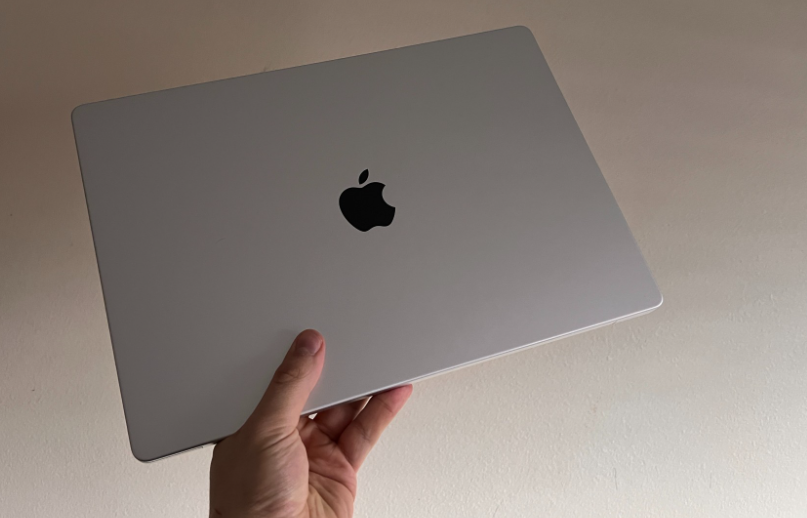
The Apple MacBook Pro with the M4 Pro or M4 Max chip combines exceptional CPU and GPU performance with outstanding power efficiency. It features Apple’s Liquid Retina XDR display, up to 128GB unified memory, fast SSD storage, Thunderbolt connectivity, and industry-leading battery life. This hardware easily handles demanding creative workloads, large Photoshop files, complex Illustrator projects, and high-resolution video editing.
Performance with Adobe Creative Cloud
Adobe Creative Cloud applications run exceptionally well on Apple’s latest M4 architecture. Photoshop benefits from fast AI-powered features, Illustrator handles complex vector artwork smoothly, and Premiere Pro renders large projects significantly faster than previous generations. Unified memory also improves multitasking, allowing designers to switch between multiple Adobe applications without noticeable slowdowns or workflow interruptions.
Display Quality and Color Accuracy
Apple’s Liquid Retina XDR display remains one of the most color-accurate laptop screens available. It supports the wide P3 color gamut, excellent brightness, high contrast, and precise color reproduction, making it ideal for professional design work. Designers working on branding, photography, publishing, or digital illustrations can confidently create projects knowing colors remain consistently accurate across professional workflows.
Pros and Cons
The MacBook Pro delivers exceptional performance, long battery life, premium build quality, accurate color reproduction, and excellent software optimization. However, it comes with a premium price and limited upgrade options after purchase. Users should carefully choose RAM and storage during configuration because internal components cannot be upgraded later, unlike many Windows-based creative laptops.
Who Should Buy It?
Professional graphic designers, creative agencies, photographers, video editors, UI/UX designers, and freelancers who depend on Adobe Creative Cloud will benefit most from the MacBook Pro. It is particularly valuable for users seeking reliable long-term performance, industry-leading battery life, outstanding display quality, and a laptop capable of handling intensive creative workloads for several years.
2. Dell XPS 16
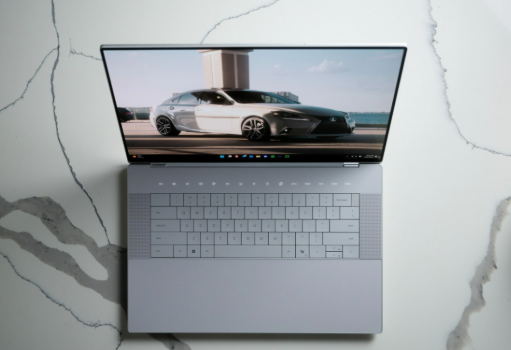
The Dell XPS 16 combines Intel Core Ultra processors with NVIDIA GeForce RTX graphics, fast PCIe SSD storage, high-speed LPDDR5X memory, Thunderbolt 4 connectivity, and a premium aluminum chassis. Its high-resolution display and powerful hardware make it well suited for professional graphic design, digital illustration, 3D rendering, and advanced content creation projects.
Design and Display Features
Dell designed the XPS 16 with creative professionals in mind. Its nearly borderless display maximizes workspace while maintaining a compact footprint. The optional OLED panel offers deep contrast, vibrant colors, and excellent color accuracy, making it suitable for Photoshop editing, branding projects, digital artwork, print design, and detailed photo retouching with impressive visual precision.
Performance for Photoshop, Illustrator, and Premiere Pro
Powered by Intel’s latest Core Ultra processors and dedicated NVIDIA RTX graphics, the XPS 16 handles demanding Adobe applications effortlessly. Photoshop filters execute quickly, Illustrator remains responsive with complex vector files, and Premiere Pro benefits from GPU acceleration during rendering, timeline playback, and exporting. This combination provides dependable performance for professional creative production workflows.
Pros and Cons
The Dell XPS 16 offers excellent Windows performance, premium construction, powerful graphics, an outstanding display, and strong multitasking capabilities. On the downside, high-end configurations can become expensive, and the laptop may run warm during prolonged rendering sessions. Battery life also varies depending on whether users choose the OLED or standard display configuration.
Best Suited for Professional Designers
The Dell XPS 16 is an excellent choice for designers who prefer Windows while needing workstation-level performance. Branding specialists, UI/UX designers, photographers, marketing professionals, motion graphic artists, and content creators can confidently use this laptop for demanding Adobe Creative Cloud projects, multitasking, and professional production environments without sacrificing portability or premium design.
3. ASUS ProArt P16
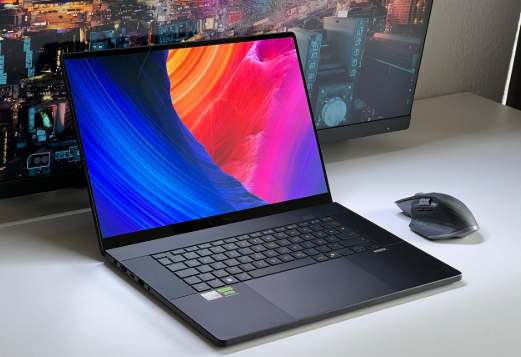
The ASUS ProArt P16 is purpose-built for creative professionals who need workstation-level performance in a portable laptop. It combines the latest AMD Ryzen AI processor with NVIDIA GeForce RTX graphics, fast LPDDR5X memory, PCIe Gen4 SSD storage, multiple high-speed ports, and a creator-focused OLED display. This hardware easily supports demanding graphic design, 3D visualization, animation, and content creation workflows.
OLED Display and Factory Color Calibration
One of the ProArt P16’s biggest strengths is its ASUS Lumina OLED display. Factory color calibration ensures highly accurate colors straight out of the box, while 100% DCI-P3 color gamut coverage delivers vibrant and realistic visuals. The display is also Pantone Validated, making it an excellent choice for branding, digital illustration, photo editing, and professional print design where color precision matters.
Creative Software Performance
The ASUS ProArt P16 is optimized for professional creative software, including Adobe Photoshop, Illustrator, Lightroom, Premiere Pro, After Effects, Blender, and DaVinci Resolve. Its dedicated RTX graphics accelerate AI-powered tools, real-time rendering, and complex visual effects. Combined with a powerful processor and fast storage, the laptop delivers smooth multitasking even when multiple creative applications run simultaneously.
Pros and Cons
The ProArt P16 offers exceptional color accuracy, strong GPU performance, premium build quality, and excellent thermal management for extended creative sessions. It also includes creator-friendly software features designed by ASUS. However, premium specifications increase the overall price, and users focused only on basic graphic design tasks may not fully utilize its workstation-class capabilities.
Ideal Users and Workloads
The ASUS ProArt P16 is ideal for professional graphic designers, creative agencies, photographers, video editors, 3D artists, architects, and motion designers. It performs exceptionally well with high-resolution design files, AI-assisted editing, animation projects, and advanced visual content production. Professionals handling multiple creative workloads every day will appreciate its consistent speed, stability, and color accuracy
4. Lenovo Yoga Pro 9i
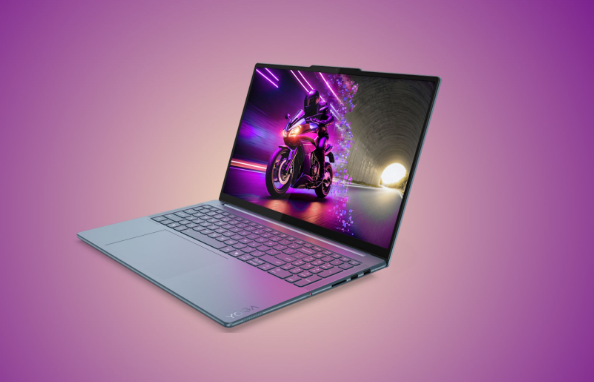
The Lenovo Yoga Pro 9i delivers premium creative performance without reaching workstation-level pricing. It features Intel Core Ultra processors, NVIDIA GeForce RTX graphics, LPDDR5X memory, fast SSD storage, Thunderbolt connectivity, and a high-resolution PureSight Pro display. This balanced hardware configuration provides excellent performance for graphic design, photo editing, digital illustration, and everyday creative productivity.
Performance for Design, Illustration, and Photo Editing
The Yoga Pro 9i handles Adobe Photoshop, Illustrator, Lightroom, and Figma with impressive speed. Designers can edit high-resolution images, create detailed vector graphics, and manage large design projects without significant slowdowns. An NVIDIA RTX GPU speeds up AI-assisted creative features, improves rendering performance, and delivers a smoother experience when working on complex design projects, making this laptop an excellent choice for both freelance designers and graphic design students.
Display Quality and Portability
Lenovo’s PureSight Pro display offers excellent brightness, sharp resolution, and impressive color accuracy for creative work. Combined with its lightweight aluminum chassis, the Yoga Pro 9i is easy to carry between meetings, classrooms, or client locations. The balance between portability and performance makes it an attractive option for designers who frequently work from different environments.
Pros and Cons
The Yoga Pro 9i provides excellent value by combining premium performance, a beautiful display, reliable graphics, and a sleek design at a competitive price. It remains quieter than many gaming-based alternatives during normal workloads. However, battery life decreases under heavy GPU usage, and upgrade options are more limited compared to traditional mobile workstations.
Who Should Consider This Laptop?
This laptop is an excellent option for freelance designers, university students, marketing professionals, content creators, and small business owners. For designers seeking strong creative performance without the premium cost of a mobile workstation, the Yoga Pro 9i delivers outstanding value. It delivers enough power for professional graphic design while remaining portable, stylish, and budget-conscious.
5. Microsoft Surface Laptop Studio 2
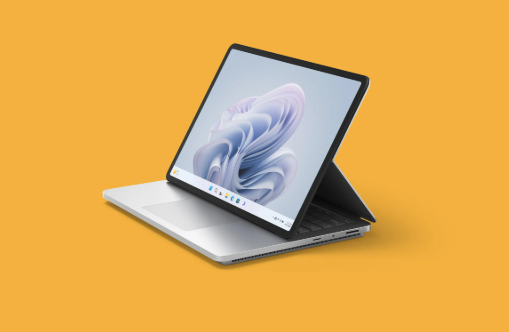
The Microsoft Surface Laptop Studio 2 features Intel Core hardware, dedicated NVIDIA RTX graphics, fast NVMe SSD storage, generous memory configurations, and an innovative Dynamic Woven Hinge that adapts to different creative workflows. Its PixelSense Flow touchscreen supports high refresh rates and the Surface Slim Pen 2, making it one of the most versatile laptops for digital artists and creative professionals.
Touchscreen and Pen Experience
The Surface Laptop Studio 2 delivers one of the best pen experiences available on Windows. The responsive touchscreen, accurate pressure sensitivity, palm rejection technology, and low-latency Surface Slim Pen 2 create a natural drawing experience. Digital illustrators can sketch, paint, annotate, and edit directly on the display with exceptional precision and comfort during long creative sessions.
Creative Workflow Advantages
Its convertible design allows users to switch effortlessly between laptop, stage, and studio modes. Designers can sketch concepts, edit images, present client work, and return to traditional productivity tasks without changing devices. This flexibility benefits illustrators, UI/UX designers, concept artists, architects, and creative professionals who regularly combine drawing with desktop-level software workflows.
Pros and Cons
The Surface Laptop Studio 2 offers exceptional touchscreen functionality, premium construction, strong creative performance, and seamless integration with Microsoft’s ecosystem. Its flexible design improves productivity for artists and designers alike. However, it is more expensive than many comparable Windows laptops, and fewer hardware configuration options are available compared to competing creative workstations.
Best for Illustrators and UI/UX Designers
The Surface Laptop Studio 2 is best suited for digital illustrators, UI/UX designers, concept artists, architects, product designers, and creative professionals who rely on stylus input. Users who regularly sketch wireframes, design interfaces, create digital artwork, or annotate client projects will benefit from its highly responsive touchscreen, versatile form factor, and professional-grade creative performance.
💚 You Might Also Like: 10 Best Uses of Google Sheets for Work & Business
Quick Comparison of the 5 Best Laptops for Graphic Designers
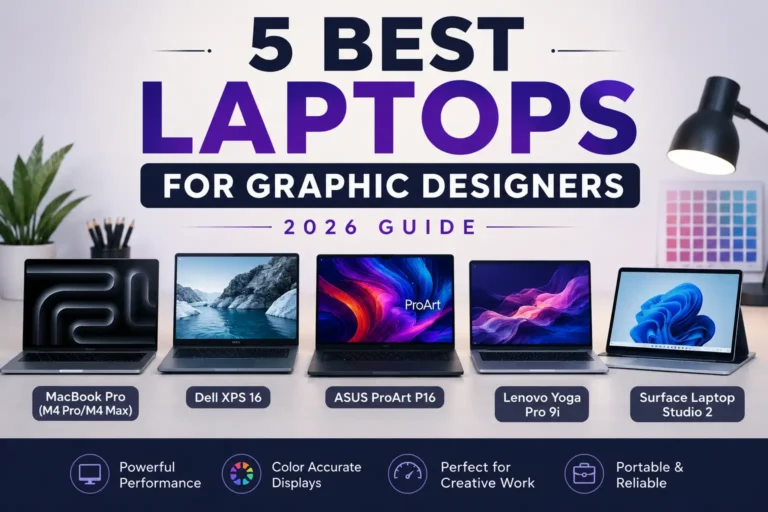
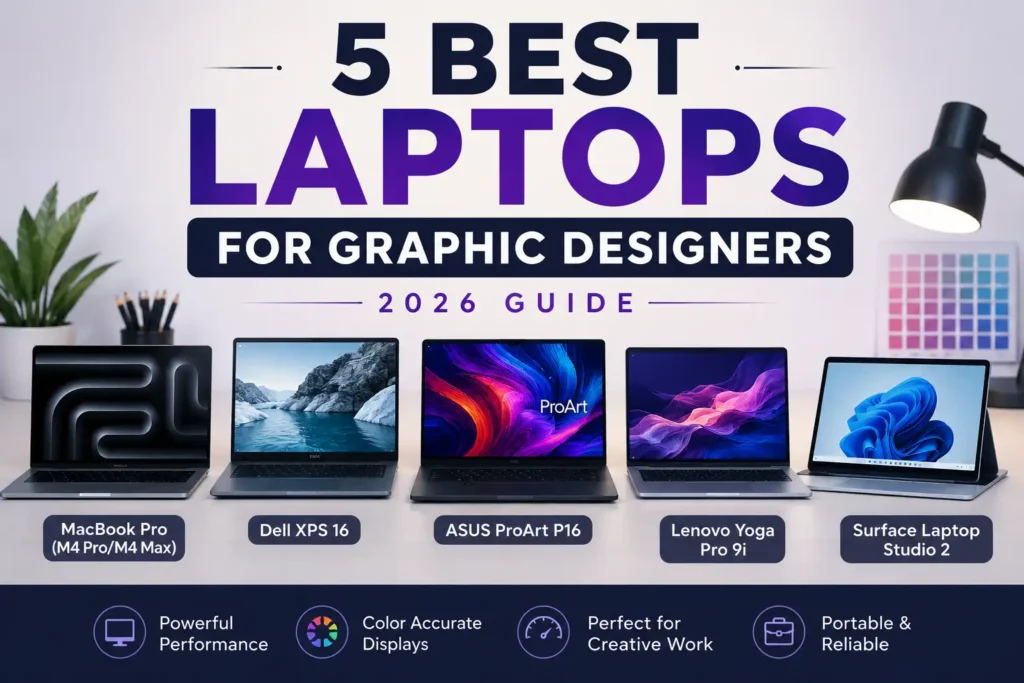
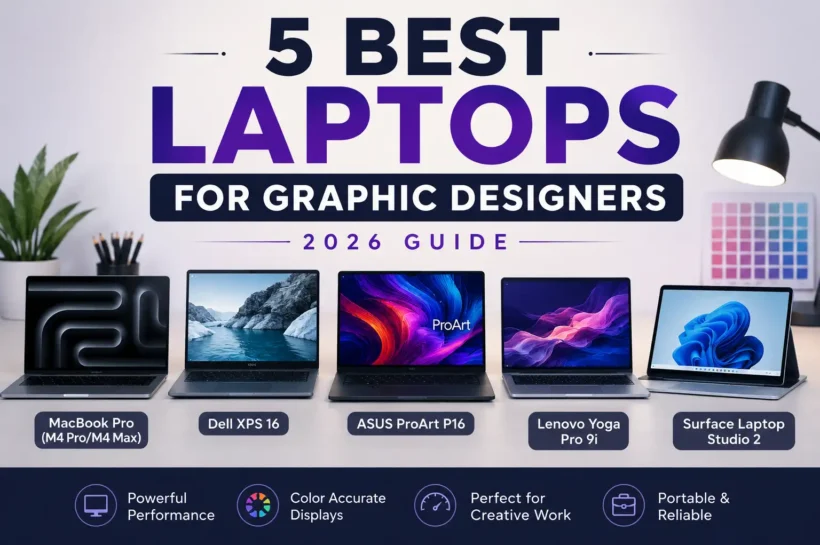
Each laptop in this guide serves a different type of designer. The Apple MacBook Pro offers the best overall balance of performance, battery life, and display quality for professionals. The Dell XPS 16 is an excellent Windows alternative with powerful RTX graphics. ASUS ProArt P16 is built specifically for demanding creative workloads and color-critical projects. Lenovo Yoga Pro 9i delivers outstanding value without sacrificing performance, while Microsoft Surface Laptop Studio 2 stands out for digital artists who prefer pen input and touchscreen flexibility. Your ideal choice depends on workflow, software, budget, and portability needs.
| Laptop | Best For | Display | Graphics | Strength |
| Apple MacBook Pro (M4 Pro/M4 Max) | Overall graphic design | Liquid Retina XDR | Apple Integrated GPU | Performance, battery life, color accuracy |
| Dell XPS 16 | Windows professionals | OLED (Optional) | NVIDIA GeForce RTX | Creative performance and premium design |
| ASUS ProArt P16 | Professional creators | ASUS Lumina OLED | NVIDIA GeForce RTX | Factory-calibrated display and workstation power |
| Lenovo Yoga Pro 9i | Best value | PureSight Pro Display | NVIDIA GeForce RTX | Performance-to-price ratio |
| Microsoft Surface Laptop Studio 2 | Digital artists | PixelSense Flow Touchscreen | NVIDIA GeForce RTX | Pen support and flexible design |
5 Best Tips To Choose the Best Laptop for Graphic Design
Buying a graphic design laptop involves more than comparing processor speeds. Creative software continues to demand faster hardware, accurate displays, and efficient multitasking capabilities. Before making a purchase, consider the applications you use most frequently, your project complexity, and whether you work primarily from a studio or while traveling. A well-balanced laptop will improve productivity, reduce rendering times, and remain reliable for several years. The following practical tips can help you invest in a laptop that supports both your current creative needs and future professional growth.
Tip 1: Prioritize a Color-Accurate Display
Display quality should be your highest priority. Look for laptops with at least 100% sRGB coverage, while professional designers should consider displays covering DCI-P3 or Adobe RGB color spaces. Factory-calibrated OLED or high-quality IPS panels produce more accurate colors, helping ensure that digital artwork, printed materials, and branding projects appear consistent across different devices and production environments.
Tip 2: Choose Enough RAM for Multitasking
Modern creative applications consume significant memory, especially when working with large PSD files or multiple Adobe applications simultaneously. At least 16GB RAM is recommended for students and beginners, while professional designers should consider 32GB or more for smoother multitasking, faster editing, and better long-term performance as software requirements continue increasing.
Tip 3: Invest in a Powerful Processor and GPU
A fast processor improves overall responsiveness, while a dedicated GPU accelerates AI-powered features, image processing, video editing, and 3D rendering. Current Intel Core Ultra, AMD Ryzen AI, Apple M4, and NVIDIA RTX hardware provide excellent performance for Adobe Creative Cloud, Blender, Figma, and other professional design applications used throughout the creative industry.
Tip 4: Don’t Ignore Storage Speed and Capacity
Creative projects quickly consume storage space, especially when working with RAW photos, layered Photoshop files, videos, and design assets. Choose at least a 1TB SSD if your budget allows. Fast NVMe SSD storage also reduces application loading times, speeds up file transfers, and improves overall workflow efficiency during daily creative work.
Tip 5: Consider Battery Life and Connectivity
Graphic designers often work from client offices, classrooms, studios, or coffee shops. A laptop with long battery life provides greater flexibility throughout the day. Also ensure it includes modern connectivity such as Thunderbolt 4, USB-C, HDMI, SD card readers, and Wi-Fi 7 support to simplify file transfers and external monitor connections.
💚 You Might Also Like: Best 12 Unique Business Ideas to Start in 2026
Graphic Design Laptop Buying Mistakes to Avoid
Many buyers focus on marketing claims instead of the features that truly affect creative performance. A visually attractive laptop may struggle with professional workloads if it lacks sufficient memory, graphics power, or display accuracy. Similarly, saving money on key specifications often leads to slower performance and shorter device lifespan. Understanding the most common buying mistakes helps you make a smarter investment that supports demanding design software for years. Avoiding these pitfalls can improve productivity, reduce future upgrade costs, and ensure a smoother creative workflow from the beginning.
Prioritizing Appearance Over Performance
Slim designs and premium materials look impressive, but creative performance should always come first. A stylish laptop with an underpowered processor or limited graphics capability will struggle with demanding Adobe applications. Always evaluate internal hardware before aesthetics, especially if you regularly work on high-resolution graphics, video editing, or complex design projects.
Buying Insufficient RAM or Storage
Many users underestimate how quickly creative software consumes system resources. Choosing only 8GB RAM or limited SSD storage may save money initially but often results in slower performance within a short time. Investing in more memory and storage improves multitasking, future-proofs your laptop, and reduces the need for costly upgrades later.
Ignoring Display Color Accuracy
A high-resolution display alone does not guarantee accurate colors. Graphic designers should prioritize color gamut coverage, calibration, and brightness alongside resolution. Poor color accuracy can create inconsistencies between digital designs and printed materials, resulting in unnecessary revisions and reduced confidence when delivering professional work to clients or production teams.
Choosing Integrated Graphics for Demanding Workflows
Integrated graphics perform well for basic editing, but advanced creative tasks benefit greatly from dedicated GPUs. Applications like Adobe Premiere Pro, After Effects, Blender, and AI-powered Photoshop tools use GPU acceleration to improve rendering speed and overall responsiveness. Designers handling complex projects should strongly consider laptops equipped with NVIDIA RTX graphics.
Overlooking Upgradeability and Connectivity
Some laptops limit future upgrades or provide very few external ports. Before purchasing, check whether storage can be expanded and ensure the laptop includes essential connections like USB-C, Thunderbolt, HDMI, and SD card readers. Better connectivity simplifies professional workflows involving external displays, storage drives, cameras, drawing tablets, and other creative accessories.
Frequently Asked Questions About Graphic Design Laptops
What Laptop Specs Are Best for Graphic Design?
A modern graphic design laptop should include at least a current-generation Intel Core Ultra, AMD Ryzen AI, or Apple M4 processor, 16GB to 32GB RAM, a fast SSD, and a color-accurate display. Professional designers working with large files or video editing also benefit from dedicated NVIDIA RTX graphics and at least 1TB of storage.
Is Mac or Windows Better for Graphic Designers?
Both platforms are excellent for graphic design. MacBooks offer outstanding battery life, software optimization, and exceptional displays, while Windows laptops provide greater hardware variety, upgrade flexibility, and broader pricing options. The best choice depends on your preferred operating system, software ecosystem, workflow, and whether you value portability or hardware customization.
How Much RAM Is Enough for Adobe Photoshop?
Adobe recommends a minimum of 16GB RAM for comfortable Photoshop use, but professional designers working with large layered files, smart objects, and multiple Adobe applications should consider 32GB or more. Additional memory improves responsiveness, supports multitasking, and helps maintain smooth performance as project complexity increases over time.
Do Graphic Designers Need a Dedicated GPU?
Not every designer requires dedicated graphics, but professionals working with video editing, motion graphics, 3D modeling, AI-powered features, or large design files benefit significantly from an NVIDIA RTX GPU. Dedicated graphics improve rendering performance, accelerate creative applications, and deliver smoother workflows compared to integrated graphics solutions.
Is OLED Better Than IPS for Design Work?
OLED displays generally provide deeper blacks, higher contrast, wider color gamuts, and more vibrant visuals than standard IPS panels. However, high-quality IPS displays with factory calibration also deliver excellent color accuracy. For professional graphic design, either technology performs well when properly calibrated and capable of reproducing colors accurately.
Which Laptop Is Best for Students Studying Graphic Design?
Students should prioritize a laptop that balances affordability, performance, and portability. The Lenovo Yoga Pro 9i offers excellent value, while the MacBook Pro is ideal for those invested in Apple’s ecosystem. Both provide enough performance for Adobe Creative Cloud, digital illustration, coursework, and freelance projects while remaining capable of supporting future professional development.
💚 You Might Also Like: Classroom 30X: The Future of AI-Powered Education in 2026
Conclusion
The best laptop for graphic designers in 2026 depends on your creative workflow, software preferences, and budget. The Apple MacBook Pro remains the strongest all-around choice for professionals, while the Dell XPS 16 leads among Windows laptops. ASUS ProArt P16 excels in color-critical creative work, Lenovo Yoga Pro 9i offers outstanding value, and Microsoft Surface Laptop Studio 2 is perfect for artists who rely on pen input. By focusing on performance, display quality, memory, and long-term usability, you can confidently invest in a laptop that supports your creativity and professional growth for years to come.
⚡ Don’t just scroll, learn something valuable. Follow Tech Fueler.