
What Is Google One & How Does It Work?
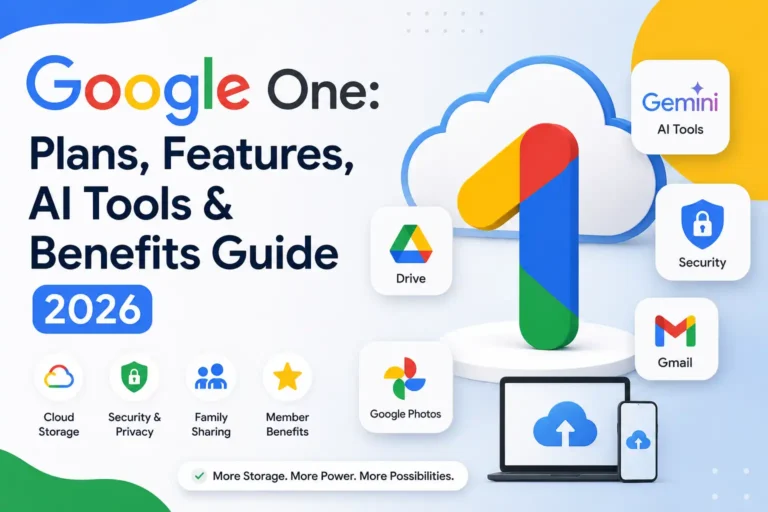
Google One is Google’s subscription service that expands cloud storage across Google Drive, Gmail, and Google Photos while adding exclusive member benefits. It was introduced to simplify storage management for personal users and families who need more than Google’s free 15 GB allowance. Once subscribed, your storage is shared across connected Google services, making file management easier. It also includes device backups, customer support, family sharing, security features, and AI-powered tools on select plans. Users can manage everything from a single dashboard through the app or website.
Google One Plans
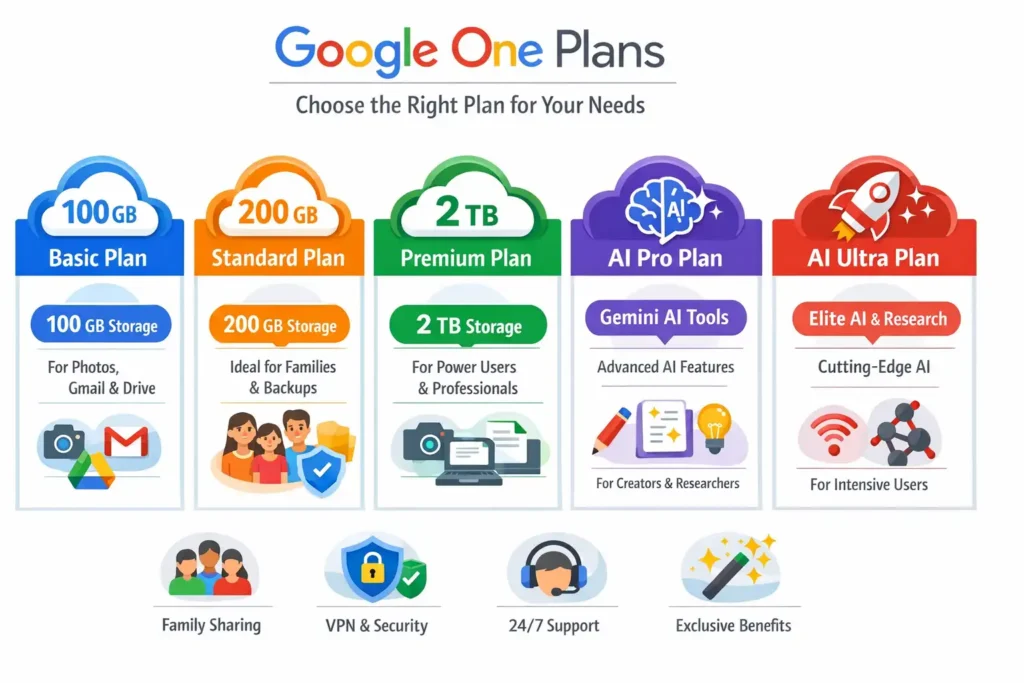
Google One offers several subscription tiers designed for different storage and productivity needs. Whether you need extra space for photos, cloud backups, work files, or advanced AI capabilities, Google provides a plan that matches your usage level. Storage options range from affordable personal plans to premium subscriptions with AI-powered features. Each tier includes access to Google’s cloud ecosystem, while higher plans unlock additional benefits such as Gemini Advanced, expanded storage, VPN features in select regions, and enhanced productivity tools. Understanding the differences helps users choose the most cost-effective option.
Google One Basic Plan
The Basic Plan is designed for users who need more storage than Google’s free allocation. It includes 100 GB of cloud storage that can be used across Google Drive, Gmail, and Google Photos. This plan is ideal for individuals who regularly store photos, videos, and documents online while keeping costs low and storage management simple.
Google One Standard Plan
The Standard Plan provides 200 GB of cloud storage, making it suitable for users with growing digital storage needs. It offers enough space for larger photo libraries, shared family files, and important backups. Many households choose this plan because it balances affordability and capacity while supporting Google’s family sharing features.
Google One Premium Plan
The Premium Plan includes 2 TB of cloud storage and targets power users, professionals, and families managing large amounts of data. It supports extensive photo collections, high-resolution videos, and work-related documents. The additional capacity reduces storage concerns and provides flexibility for users who rely heavily on Google’s ecosystem.
Google AI Pro Plan
Google AI Pro combines substantial cloud storage with advanced artificial intelligence tools. Subscribers gain access to premium Gemini capabilities, AI-assisted productivity features, and enhanced content creation tools. This plan is designed for professionals, students, and creators who want to leverage AI for research, writing, organization, and everyday productivity tasks.
Google AI Ultra Plan
Google AI Ultra represents Google’s most advanced subscription offering. It includes premium storage capacity alongside access to Google’s highest-tier AI experiences. Users benefit from enhanced AI models, advanced research capabilities, and priority access to new innovations. This plan is primarily intended for intensive users who require cutting-edge AI assistance and maximum flexibility.
Key Differences Between All Plans
The main differences between Google One plans involve storage limits, AI capabilities, and premium benefits. Basic and Standard plans focus primarily on additional storage, while Premium expands capacity significantly. AI Pro and AI Ultra add advanced Gemini features, research tools, and productivity enhancements. Choosing the right plan depends on storage requirements, family usage, and AI-related needs.
Google One Features and Benefits
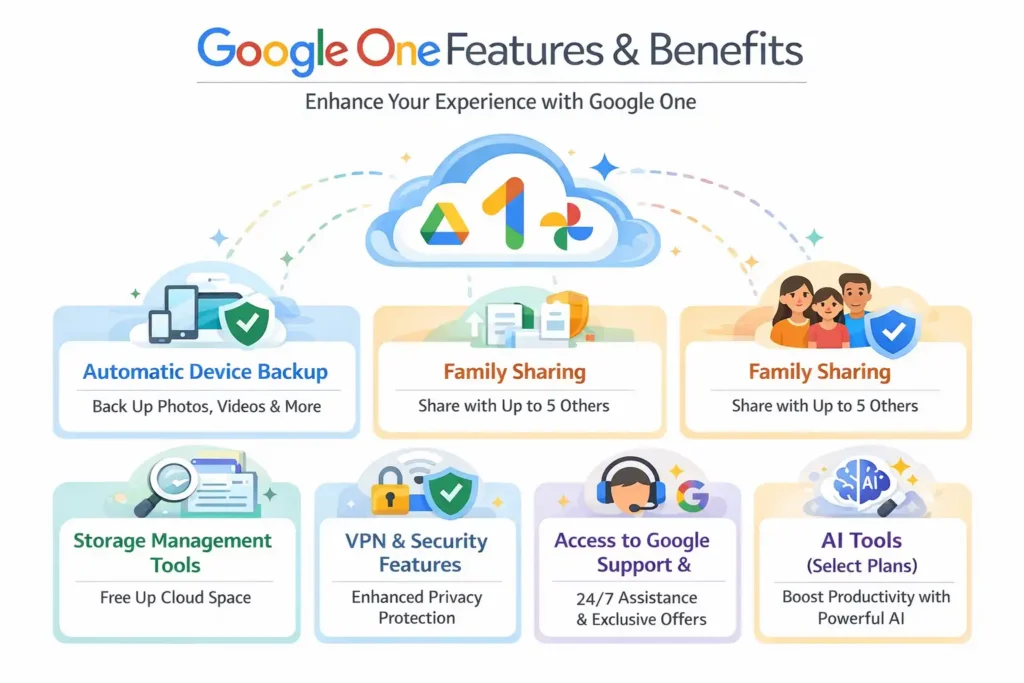
Beyond cloud storage, Google One delivers a range of features designed to improve digital organization, security, and convenience. Subscribers can back up devices automatically, share storage with family members, manage files efficiently, and access dedicated Google support. According to Google, more than a billion people use Google Drive and related services worldwide, making reliable storage management increasingly important. Google One centralizes these capabilities into a single subscription, helping users protect important data while improving collaboration and productivity. These additional benefits often provide value beyond storage capacity alone.
Automatic Device Backup
Google One simplifies data protection through automatic device backups. Users can securely save photos, videos, contacts, messages, and device settings to the cloud. This feature helps minimize data loss when upgrading phones, replacing devices, or recovering from accidental deletion. Automated backups ensure important information remains accessible whenever it is needed.
Family Sharing for Multiple Users
Google One allows subscribers to share their storage plan with up to five additional family members. Each person receives private storage space while benefiting from the shared subscription. This arrangement reduces costs for households and simplifies cloud storage management without compromising individual privacy or access to personal files.
Storage Management Tools
Google One includes built-in storage management tools that help users identify large files, remove duplicates, and clear unnecessary data. The dashboard provides a clear overview of usage across Google Drive, Gmail, and Google Photos.
Access to Google Support and Member Benefits
Subscribers receive access to Google support for assistance with products and account-related issues. Depending on the region and plan, members may also receive exclusive benefits, promotional offers, and early access to selected Google services. These extras enhance the overall value of a Google One subscription beyond storage alone.
🌟 Recommended for You: ClickUp: Powerful Project Management Platform
Google One AI Features
Google One has evolved beyond cloud storage by integrating advanced artificial intelligence tools into select subscription plans. These AI-powered capabilities help users work more efficiently, conduct research faster, and automate repetitive tasks. With Google’s Gemini models at the center of the experience, subscribers can access intelligent assistance across multiple products. AI features are designed to support content creation, data analysis, brainstorming, organization, and learning. As artificial intelligence becomes a larger part of daily workflows, it provides users with practical tools that improve productivity while remaining seamlessly connected to Google’s ecosystem.
Gemini AI Integration
Google One AI plans include direct access to Gemini, Google’s advanced generative AI assistant. Meanwhile, Gemini can answer questions, summarize information, generate content, and assist with complex tasks.
Gemini Advanced and AI-Powered Assistance
The Advanced Gemini provides access to Google’s most capable AI models for deeper reasoning and more detailed responses. Users can receive support with writing, coding, planning projects, and analyzing information. The enhanced capabilities are especially valuable for professionals, students, researchers, and creators who regularly work with large amounts of information.
AI Features in Gmail, Docs, Sheets, and Slides
Google One AI subscriptions unlock productivity features within Gmail, Docs, Sheets, and Slides. Users can draft emails, summarize lengthy documents, generate reports, create presentations, and organize spreadsheet data more efficiently. These AI tools reduce manual work while helping users complete tasks faster and maintain consistent productivity throughout the day.
NotebookLM and Advanced Research Tools
NotebookLM is Google’s AI-powered research assistant that helps users analyze documents, notes, PDFs, and source materials. It can summarize content, answer questions, identify key insights, and generate study materials. For researchers, students, and professionals, NotebookLM simplifies information management and accelerates the process of understanding complex topics.
🌟 Recommended for You: Hostinger Horizons Explained: Complete 2026 Guide
Security and Privacy in Google One
Security remains one of the most important considerations for cloud storage users. Google One includes multiple layers of protection designed to secure personal files, backups, and account information. Google invests heavily in cybersecurity infrastructure, using encryption technologies, account protection tools, and threat monitoring systems to safeguard user data. Subscribers also gain access to security-focused features such as dark web monitoring in eligible regions. While no online platform can eliminate every risk, it provides tools that help users strengthen account security and maintain greater control over personal information stored in the cloud.
Data Protection and Backup Security
Google One protects stored information through advanced security measures and encrypted data transmission. Device backups, photos, videos, and documents are stored within Google’s secure infrastructure. Regular backups reduce the risk of data loss caused by hardware failure, accidental deletion, or device replacement while helping users recover important information quickly.
Dark Web Monitoring
Dark web monitoring helps users identify whether personal information associated with their account has appeared in known data breaches. If potentially compromised information is detected, Google provides alerts and recommended actions. This feature allows users to respond proactively and strengthen account security before unauthorized access occurs.
Account Protection Best Practices
Users can improve account security by enabling two-factor authentication, creating strong passwords, and reviewing security settings regularly. Google also recommends keeping recovery information updated and monitoring account activity for unusual behavior. Combining these practices with Google One security features creates stronger protection against unauthorized access attempts.
Privacy Considerations for Cloud Storage
Cloud storage offers convenience, but users should understand how their information is stored and shared. Reviewing privacy settings, managing permissions, and limiting unnecessary file sharing can help protect sensitive data. Google provides transparency controls that allow users to manage stored information and maintain greater privacy within their accounts.
How to Set Up and Use Google One
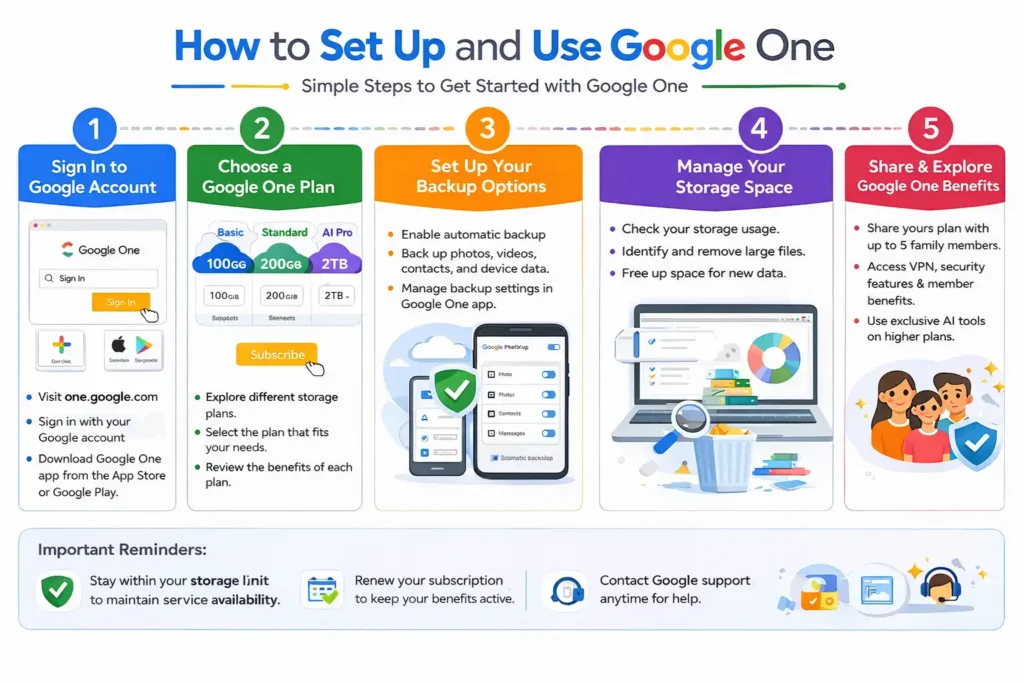
Getting started with Google One is a straightforward process that typically requires only a Google account and an active subscription plan. Users can subscribe through the website or mobile application and immediately begin expanding their storage capacity. The platform provides simple tools for managing backups, upgrading plans, sharing storage with family members, and monitoring usage. Because it integrates directly with Google Drive, Gmail, and Google Photos, most features become available automatically after activation. This streamlined setup process makes the service accessible even for users with limited technical experience.
Creating a Google One Subscription
To create a Google One subscription, users sign in with a Google account and select a preferred storage plan. After completing payment, the additional storage becomes available immediately. The dashboard provides access to account settings, storage management tools, and available member benefits.
Upgrading Your Storage Plan
Users can upgrade their Google One plan at any time through the account settings page. Higher-tier plans provide additional storage and may include advanced features such as AI-powered tools.
Setting Up Family Sharing
Google One allows subscribers to share storage with up to five family members. After creating a family group, the plan owner can invite participants through Google’s family management tools. Each member receives private storage access while benefiting from the shared subscription without exposing personal files.
🌟 Recommended for You: Acamento :- Modern Digital Team Management Platform (2026)
Google One vs Other Cloud Storage Services
Google One competes with several major cloud storage providers, including Microsoft OneDrive, Apple iCloud+, and Dropbox. Each platform offers storage, synchronization, and backup capabilities, but they differ in pricing, ecosystem integration, collaboration features, and AI functionality. Choosing the right service often depends on the devices you use, the amount of storage required, and whether advanced productivity tools are important. While all major providers deliver reliable cloud storage, their strengths vary significantly. Understanding these differences helps users select a solution that best supports their personal or professional needs.
Google One vs Microsoft OneDrive
Google One integrates seamlessly with Google’s productivity ecosystem, while OneDrive is deeply connected to Microsoft 365 applications. OneDrive may appeal to users who rely heavily on Word, Excel, and PowerPoint. often stands out for its Google Photos integration, family sharing capabilities, and expanding AI-powered features.
Google One vs Apple iCloud+
iCloud+ is designed primarily for users within Apple’s ecosystem and works exceptionally well across iPhone, iPad, and Mac devices. offers broader cross-platform compatibility and easier access across multiple operating systems. Users who frequently switch between devices often appreciate flexibility and accessibility.
Google One vs Dropbox
Dropbox built its reputation on reliable file synchronization and business collaboration tools. However, Google One provides a more comprehensive ecosystem that combines storage, email, productivity apps, photo management, and AI capabilities. For many users, it delivers greater overall value by consolidating multiple services into one subscription.
Pros & Cons
Pros
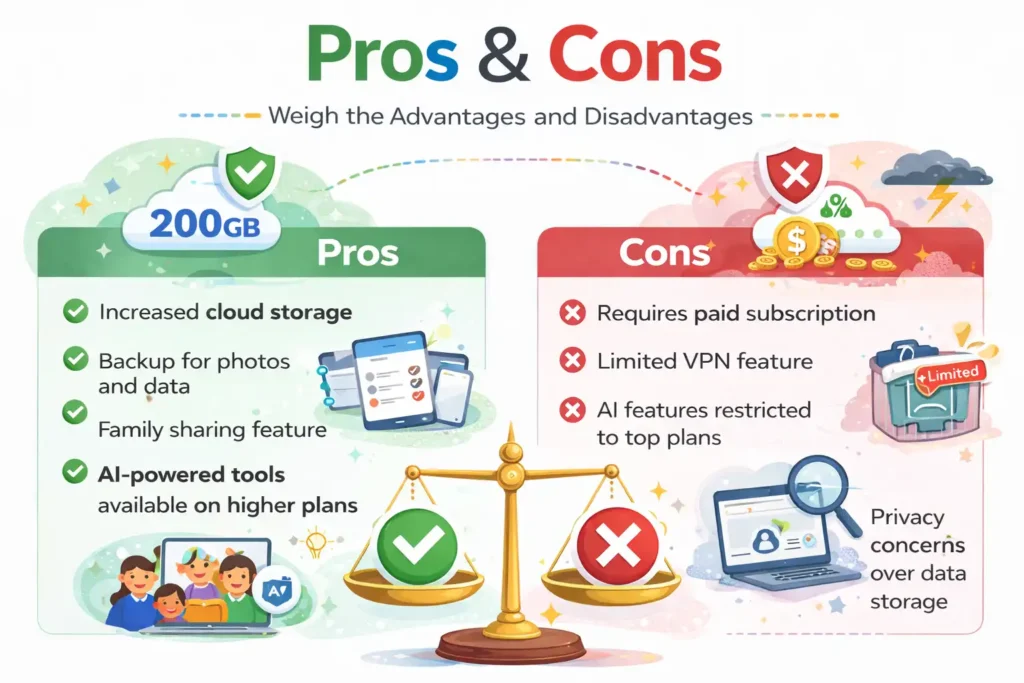
Google One offers flexible storage plans, family sharing, automatic device backups, and seamless integration with Google’s ecosystem. Subscribers also gain access to AI-powered productivity tools, security features, and dedicated customer support. The service works across multiple devices and operating systems, making it a convenient solution for both personal and professional use.
Cons
Some advanced AI features require higher-priced subscriptions, which may not appeal to budget-conscious users. Storage costs can increase over time as data grows, and certain member benefits vary by region. Users deeply invested in Apple or Microsoft ecosystems may find tighter integration with competing cloud storage services.
Frequently Asked Questions About Google One
Is Google One Different From Google Drive?
Yes. Google Drive is Google’s cloud storage platform used to store and access files, and it is a subscription service that expands storage and adds extra benefits. It manages storage across Google Drive, Gmail, and Google Photos while providing additional features such as support, family sharing, and AI tools.
Can Google One Be Shared With Family Members?
Yes. Google One allows subscribers to share their storage plan with up to five additional family members. Each person receives their own private storage space and access to eligible benefits. Family members cannot view each other’s files unless content is intentionally shared through Google’s collaboration tools.
What Happens If You Cancel Google One?
When a Google One subscription is canceled, users lose access to the additional storage capacity provided by their plan. Existing files remain available, but if storage usage exceeds the free limit, new uploads and backups may be restricted until enough space is freed or a new plan is purchased.
Does Google One Include Google Photos Storage?
Yes. Google One storage is shared across Google Drive, Gmail, and Google Photos. This unified storage system simplifies management by combining multiple Google services under one storage quota.
Which Google One Plan Is Best for Most Users?
For most individuals and families, the Premium Plan offers the best balance between storage capacity and value. With 2 TB of storage, it provides ample room for photos, videos, documents, and backups. Users interested in advanced AI capabilities may find AI Pro or AI Ultra plans more beneficial.
Is Google One Safe for Storing Personal Data?
Google One is generally considered a secure platform for storing personal data. Google uses encryption, account protection tools, security monitoring, and backup systems to help safeguard information. Users can further strengthen security by enabling two-factor authentication and following recommended account protection practices.
Which Cloud Storage Service Is Best?
The best cloud storage service depends on individual requirements. Google One is an excellent choice for users invested in Google’s ecosystem who want storage, productivity tools, and AI features in a single subscription. OneDrive benefits Microsoft users, iCloud+ serves Apple customers, and Dropbox remains strong for file-sharing workflows. Evaluating storage needs, device compatibility, and productivity requirements will help determine the ideal solution.
🌟 Recommended for You: Communication Skill: Importance, Types & Benefits in 226
Conclusion
Google One has grown from a simple storage subscription into a comprehensive cloud platform that combines storage, security, collaboration, and artificial intelligence. Whether you need additional space for photos and files, reliable device backups, family sharing capabilities, or access to advanced Gemini-powered tools, it offers a plan for nearly every type of user. Its seamless integration with Google’s ecosystem makes managing digital content easier while improving productivity across multiple devices. For individuals, families, students, and professionals, it remains one of the most versatile and feature-rich cloud storage solutions available today.
🚀 Success loves informed decisions. Follow Tech Fueler.